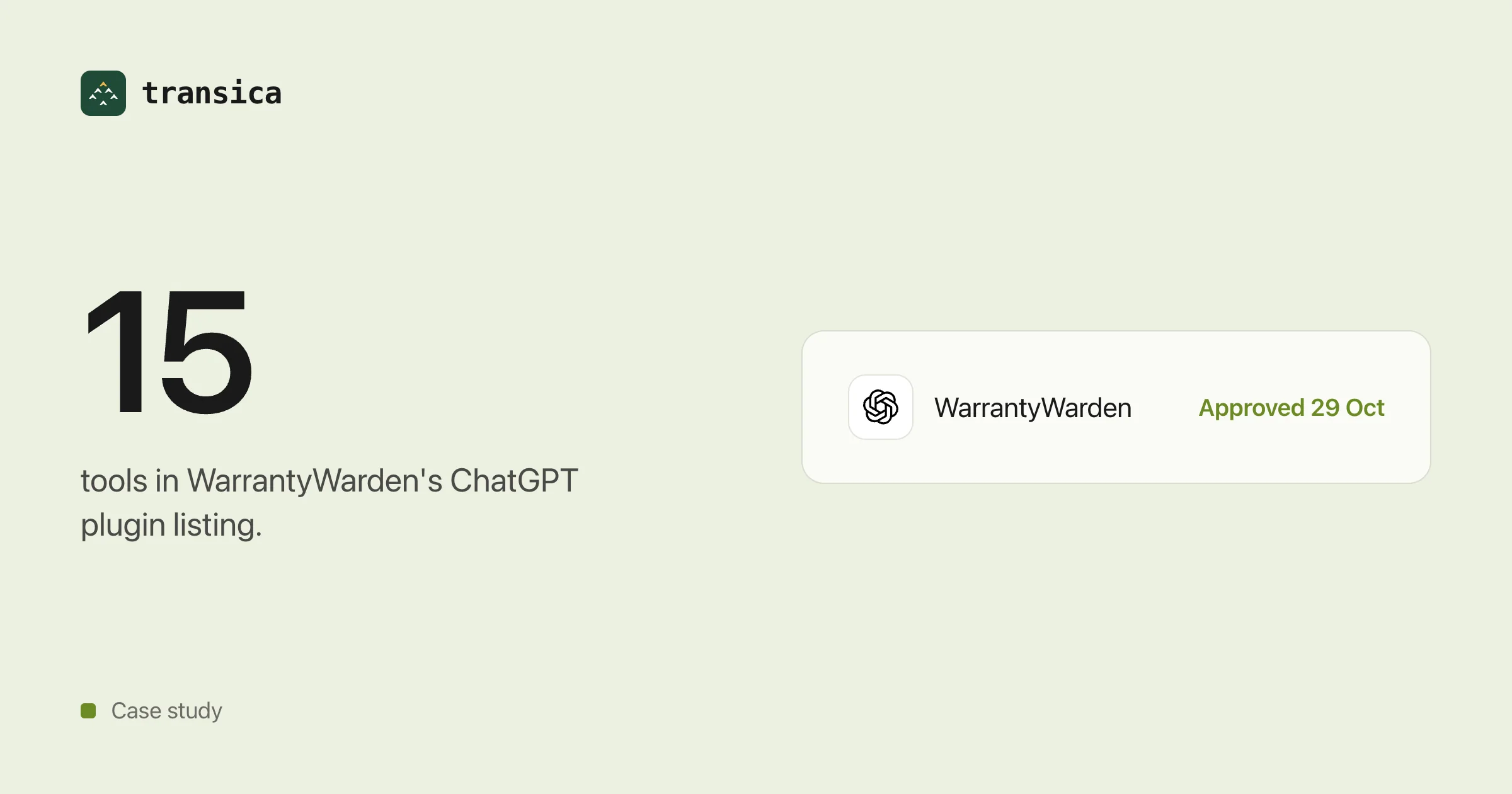
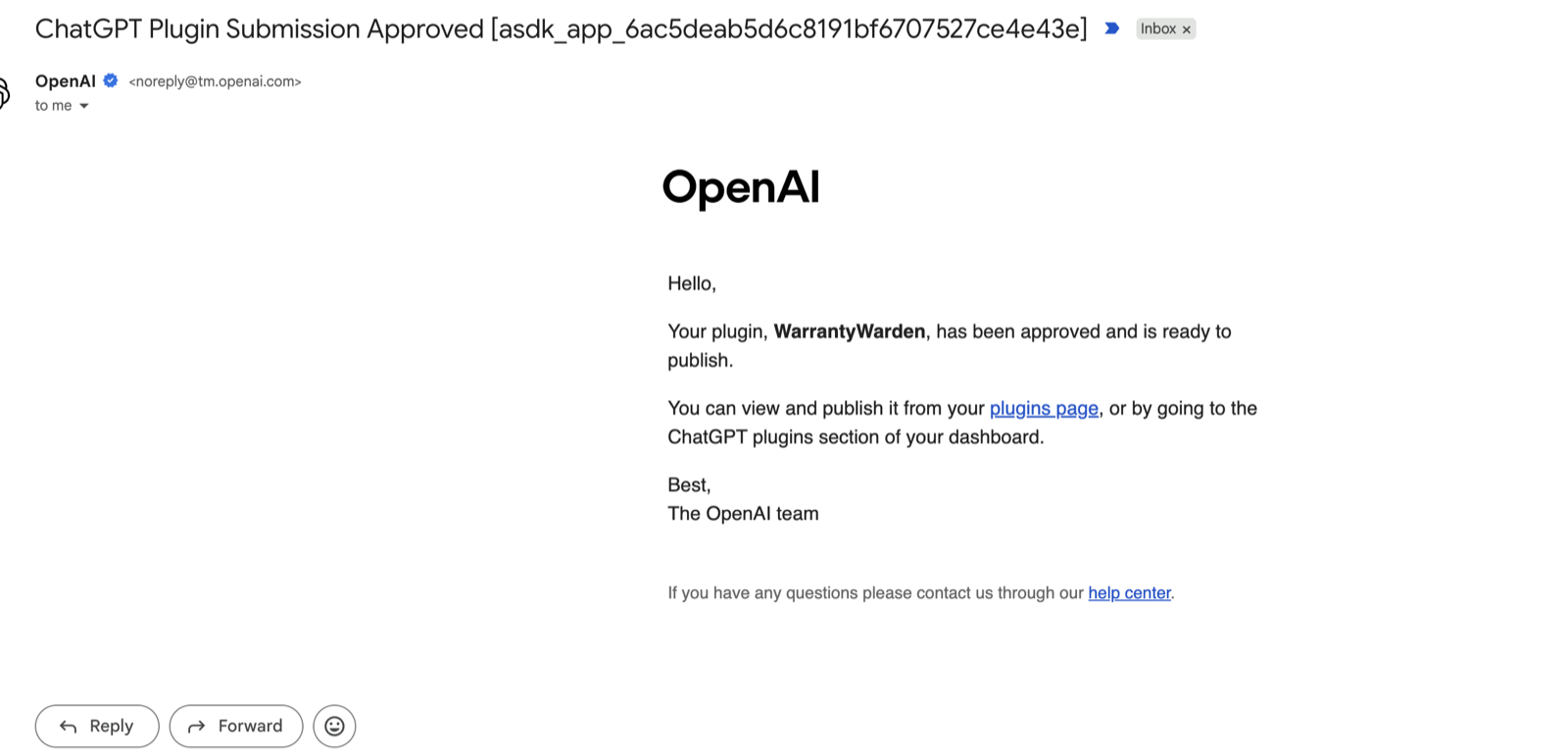
On 29 October 2026, OpenAI emailed to say: "Your plugin, WarrantyWarden, has been approved and is ready to publish." The listing shows it in the Productivity category, at version 1.0.0.
What WarrantyWarden is
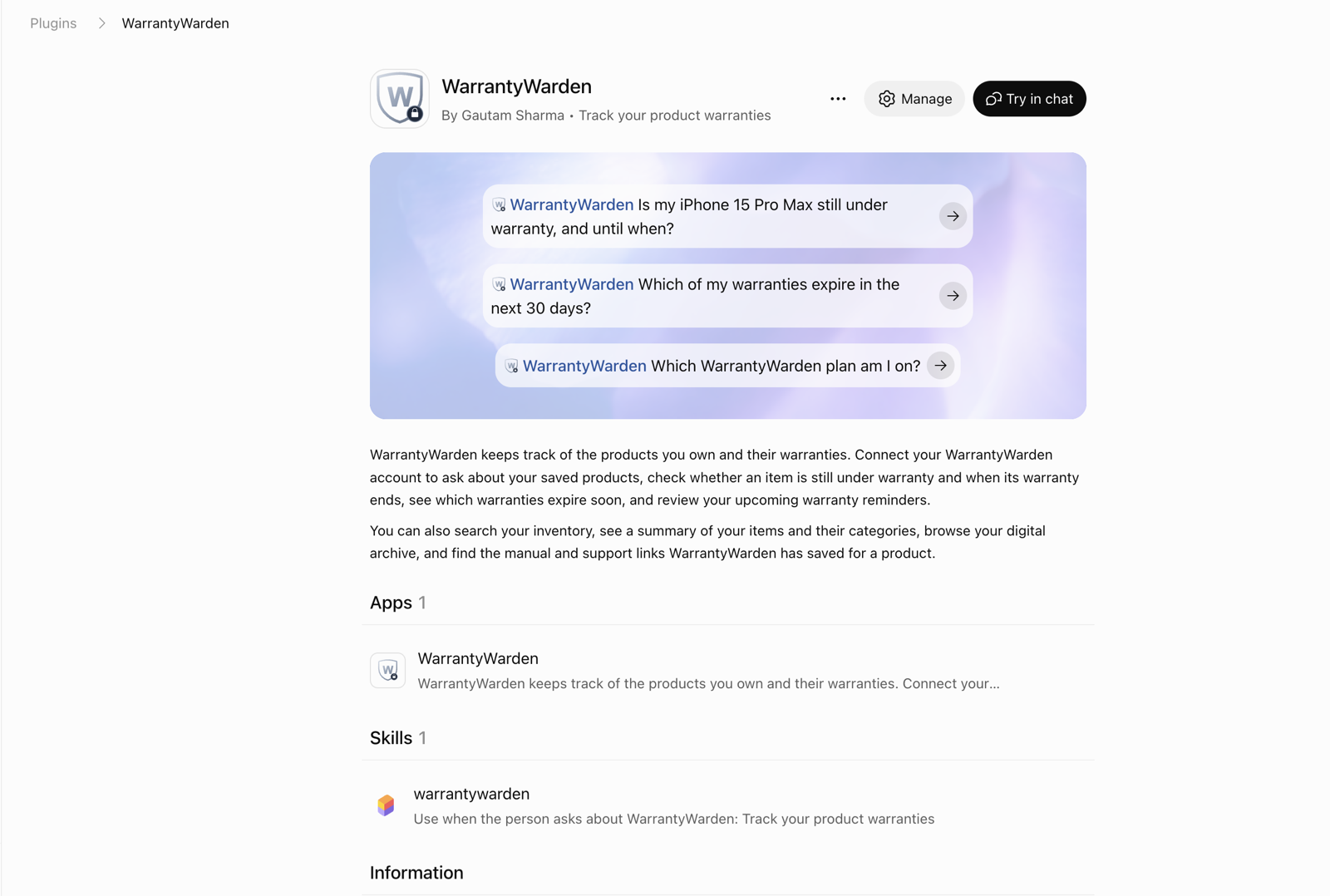
WarrantyWarden is a warranty tracker. People save the products they own, with warranty end dates, manuals and support links, and get reminders before a warranty runs out.
WarrantyWarden started as a personal project in 2025, built because receipts kept getting lost, raising a support request meant digging through files and folders, and broken things sat unfixed until their warranty ran out.
What it does inside ChatGPT
The listing's tagline is "Track your product warranties". Its description says people connect their WarrantyWarden account to ask about their saved products, check whether an item is still under warranty, see which warranties expire soon and review upcoming reminders. The listing holds one app and one skill, and suggests three prompts: "Is my iPhone 15 Pro Max still under warranty, and until when?", "Which of my warranties expire in the next 30 days?" and "Which WarrantyWarden plan am I on?"
The app lists 15 tools, all under Read:
| Area | Tools | What they answer |
|---|---|---|
| Warranties | get_item_warranty, get_upcoming_warranty_expiries, get_upcoming_alerts | Whether a product is still covered and until when, which warranties end within a given number of days, and which reminders are coming up |
| Inventory | get_inventory_summary, get_inventory_categories, search_inventory, get_item_detail, list_user_items, list_user_products | An overview of what someone owns, counts by category, a search by name, brand or model, and one product's details |
| Archive | list_digital_archive | Physical products and travel bookings in one list |
| Account | get_user_subscription, get_subscription_plans, get_credit_history | The person's plan and its status, the plans on offer, and credit purchases and use |
| Support | get_support_history, list_agent_tasks | Past support requests and active AI agent tasks |
How it was built with Transica
WarrantyWarden already had an API behind its own login, and the plugin's tools come from that API. On 26 October 2026 the build path was recorded in one take: Transica found the API spec, the endpoints an owner would ask about were picked, Transica's AI drafted each tool's name, description and inputs, and the connector was hosted. The on-screen clock reads 4:24 from WarrantyWarden's website to Claude answering with a signed-in user's data.
Transica hosts the plugin at mcp.warrantywarden.com, on WarrantyWarden's own domain, through a DNS record that points to Transica's hosting. It went live on 3 October 2026.
On 6 October 2026, a 37-second cold start made the first question after a quiet spell fail. Transica's health checks catch a slow wake-up, and its review step flags one before submission.
Sign-in
People use their own WarrantyWarden account in ChatGPT. No second account, no API key.
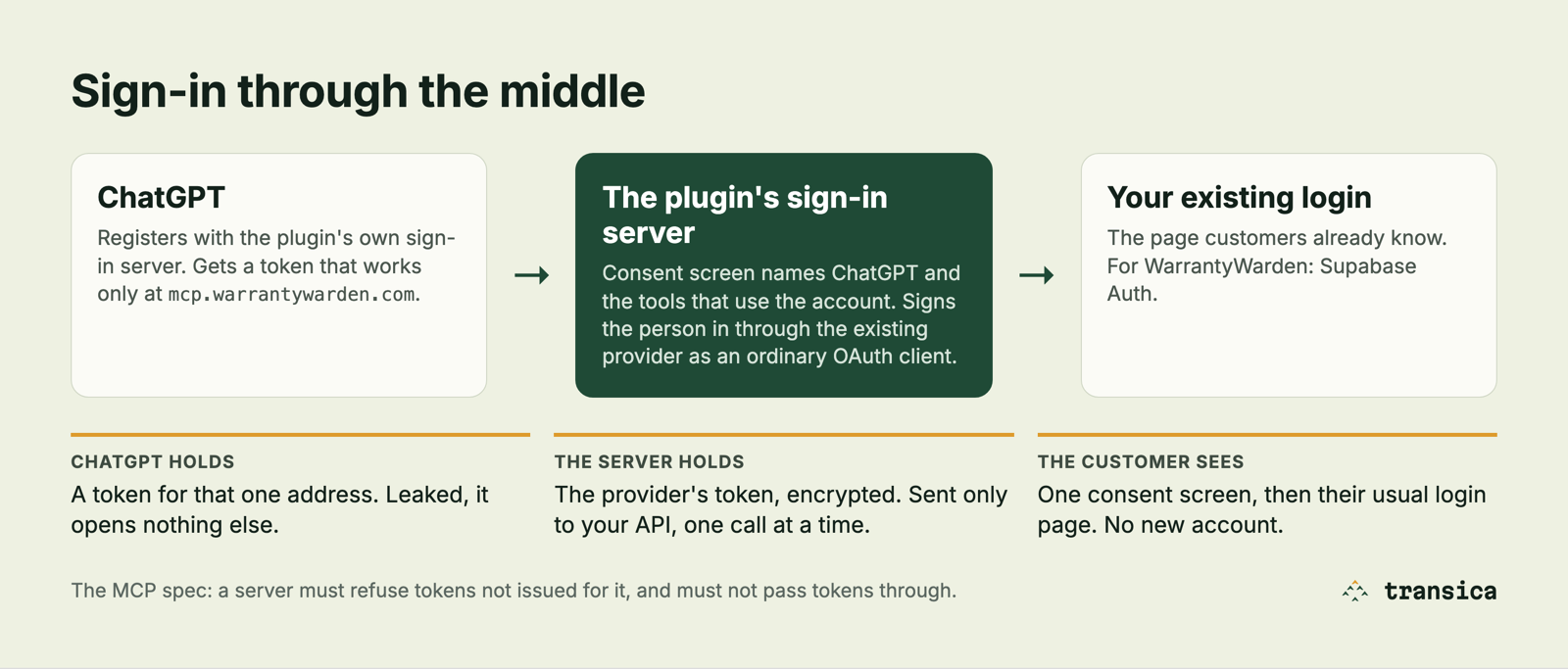
Transica puts a small sign-in server in front of the existing login. ChatGPT registers with it, the person approves on a consent screen and then signs in on WarrantyWarden's usual login page, and ChatGPT gets a token that works only at mcp.warrantywarden.com. The Supabase token stays on the server, encrypted, and goes only to WarrantyWarden's API. The MCP server authentication guide walks through the whole flow.
Review and approval
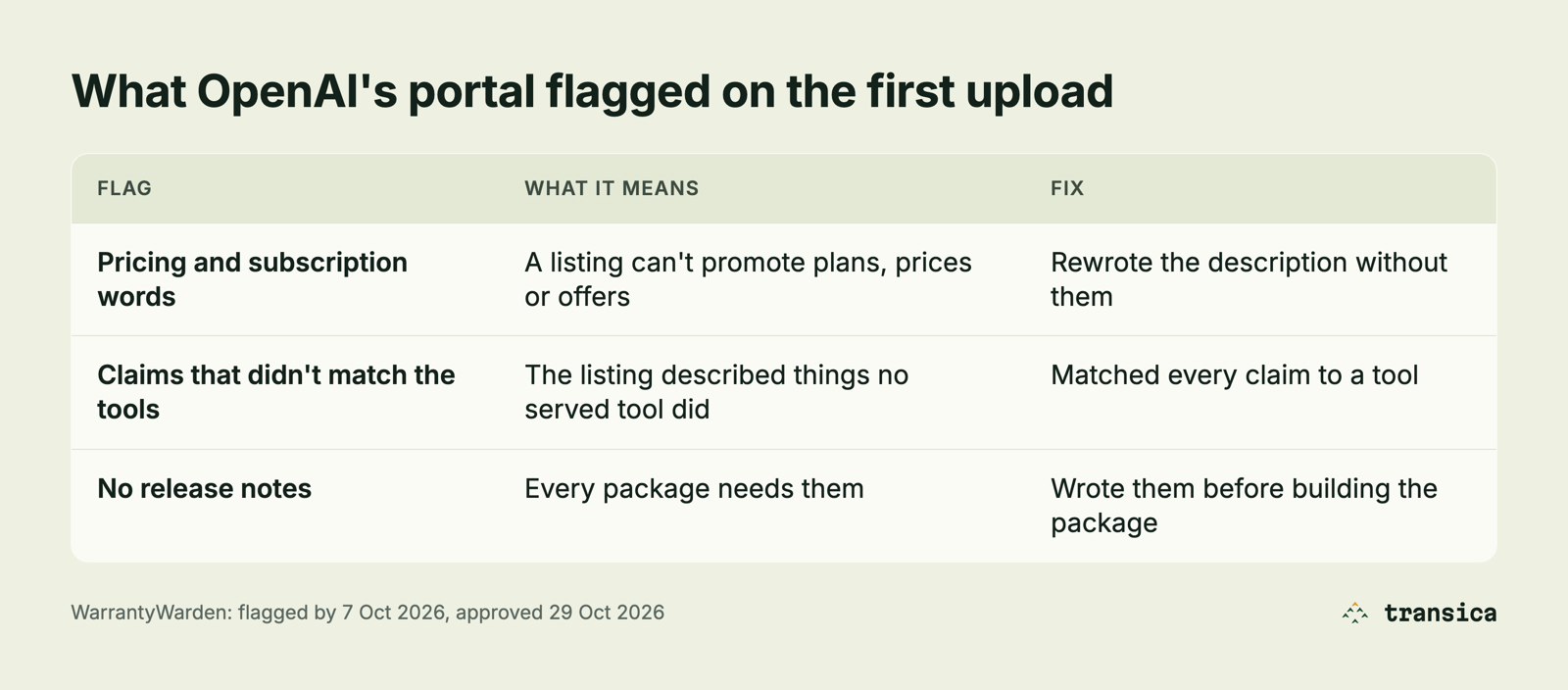
OpenAI's portal flagged three things on WarrantyWarden's first upload: pricing and subscription words in the listing, listing claims that no served tool backed up, and missing release notes. The description was rewritten without pricing words, every claim was matched to a tool, and release notes were written before the package was built. Transica runs the same three checks before submission.
| Date | Step |
|---|---|
| 30 Sep 2026 | First Transica build of a WarrantyWarden connector |
| 3 Oct 2026 | mcp.warrantywarden.com live on WarrantyWarden's own domain |
| 6 Oct 2026 | 37-second Cloud Run cold start found |
| By 7 Oct 2026 | Three flags from OpenAI's portal on the first upload |
| By 13 Oct 2026 | Plugin submitted for review |
| 29 Oct 2026 | Approved |
After publication, OpenAI scans the hosted MCP server daily, and eligible tool updates go live once automated checks pass, without a new package version (OpenAI).
What this means for a store owner
The Transica part took minutes. The rest was fixing what the checks found in WarrantyWarden itself, then waiting for OpenAI's review.
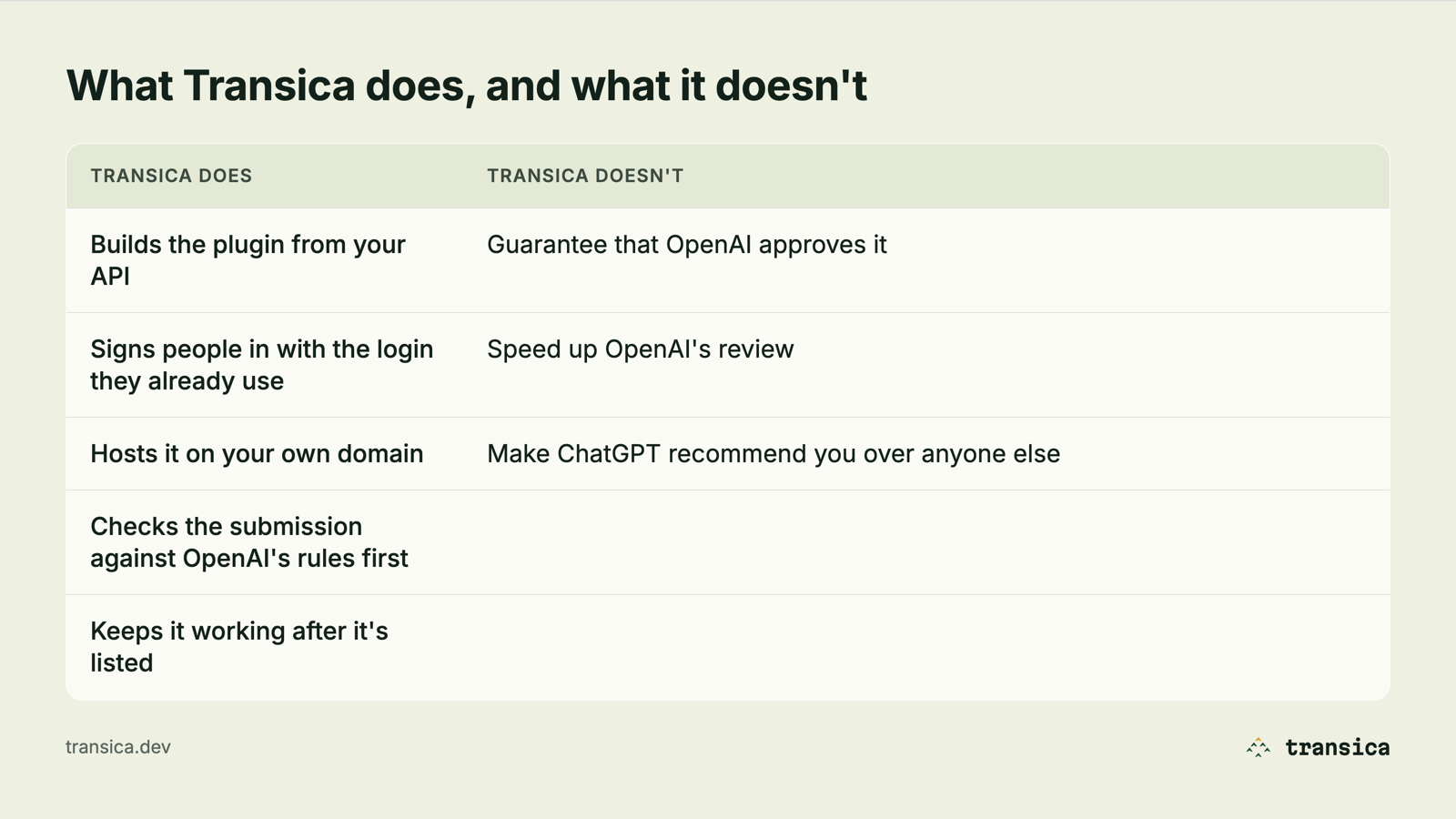
WarrantyWarden started with an API, a customer login and its own domain. A store with the same three can take the same path, and Transica keeps the plugin running after listing.
Steps for any site: ChatGPT app directory guide.