MCP directory check
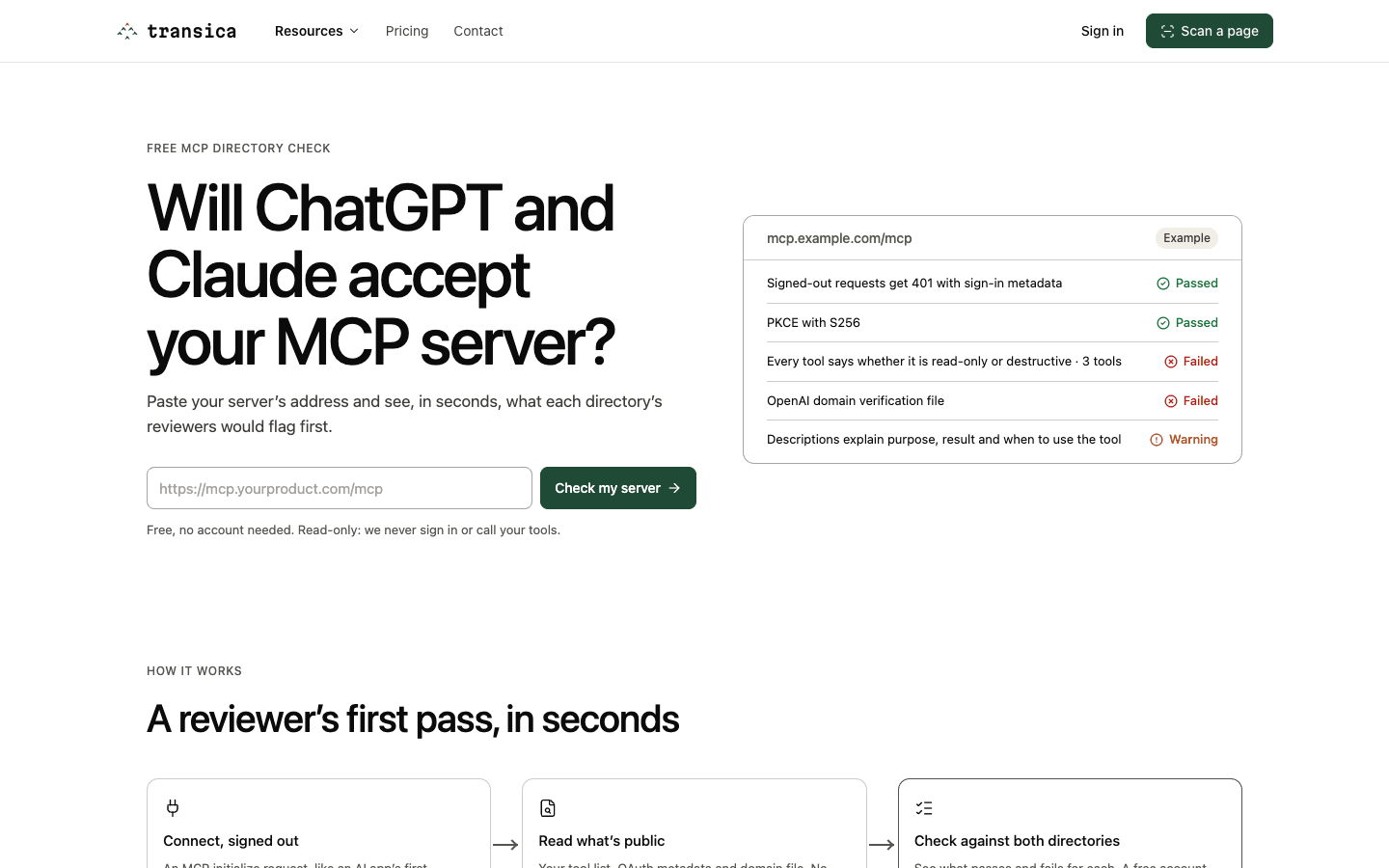
Paste the address of a public MCP server and see, in seconds, what the ChatGPT and Claude directory reviewers would flag first. It's read-only: Transica never signs in to your server or calls its tools.
Run a check
- Open transica.dev/tools/mcp-directory-check (also under Resources in the site menu).
- Enter your server's address, for example
mcp.example.com/mcp. - Select Check my server.
What it checks
Transica connects the way an AI app first would:
- Connect, signed out. An MCP
initializerequest. - Read what's public. The tool list (
tools/list), the OAuth metadata and OpenAI's domain file at/.well-known/openai-apps-challenge. No tool is ever called. - Check against both directories. Each rule is checked separately for ChatGPT and Claude, for example:
- Signed-out requests get
401with sign-in metadata, and sign-in uses PKCE with S256. - Every tool says whether it is read-only or destructive.
- Descriptions explain purpose, result and when to use the tool.
- The OpenAI domain verification file is served.
- Signed-out requests get
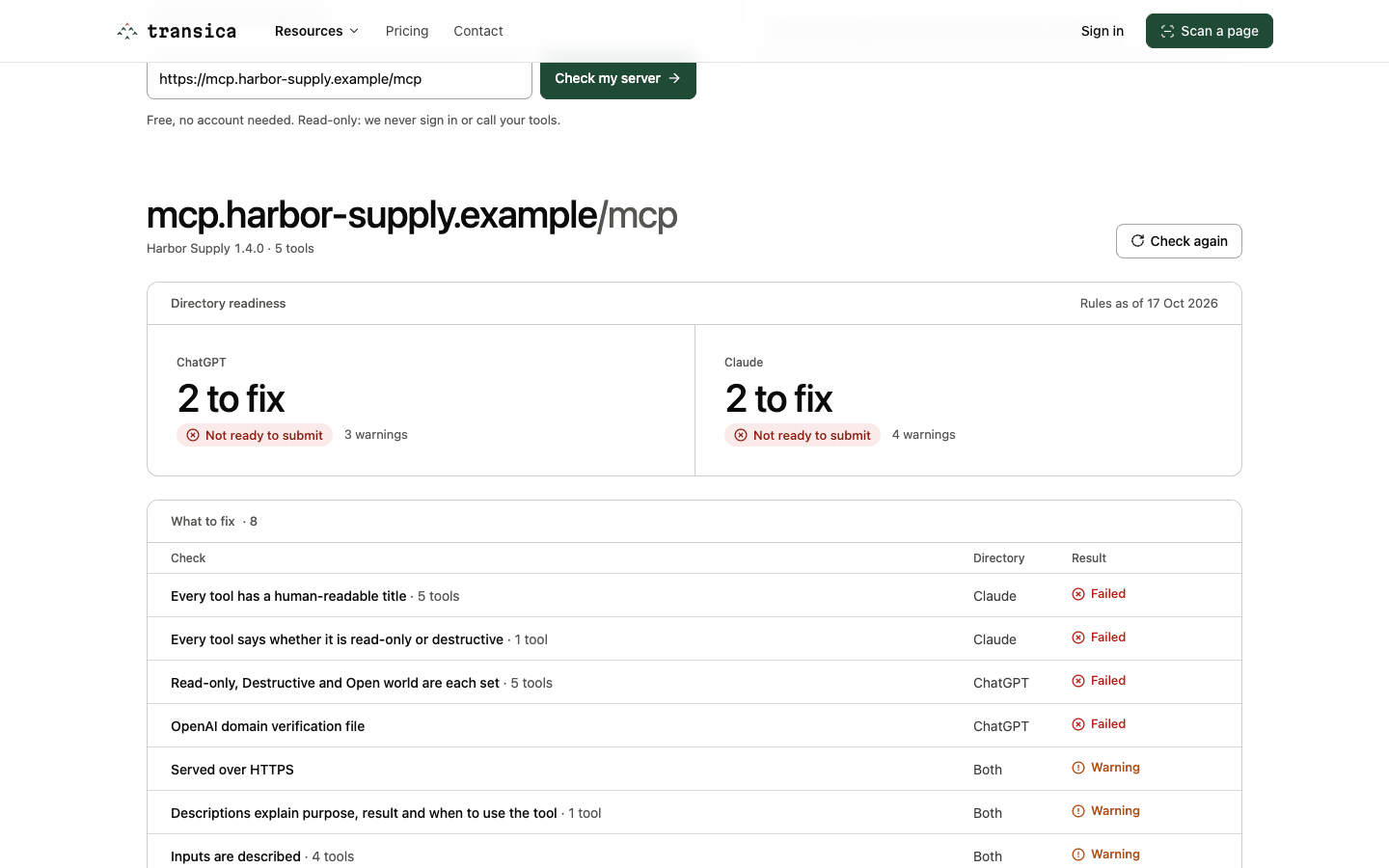
The result opens with Directory readiness: for ChatGPT and Claude, Nothing to fix or how many to fix, with Ready for review, Review the warnings or Not ready to submit. Below it, What to fix lists each failure and warning with the directory it applies to, and a folded Passed and not checked list holds the rest. The date the rules were read from the official pages is shown (for example "Rules as of 17 Oct 2026").
Free account vs signed out
| Signed out | With a free account | |
|---|---|---|
| Pass / warn / fail per rule | Yes | Yes |
| The evidence we saw and the tool names involved | No | Yes |
| The fix for each tool | No | Yes |
| The published rule and its source | No | Yes |
Select Get the full report or Sign in on the result; you come back to the same check, re-run with the full detail.
Limits and what it can't see
- 50 checks a day from one address, 100 a day for one server, and 10,000 a day across everyone. Nothing is stored except these counters.
- Only public addresses work; private networks and localhost are refused.
- If your server asks for sign-in before it lists tools, the check can only judge the sign-in setup, not the tools.
- Directories also review your privacy policy, terms and sign-in with a real account, and they test every tool live. A clean result isn't approval.
To fix what it finds and prepare a full submission, connect the server to Transica: Connect your own MCP server, then Get listed in ChatGPT or Claude.