Build a connector from your API spec
If you have an OpenAPI spec, this is the fastest way to a connector: give Transica the spec, tick the endpoints people will ask an assistant about, and let AI design the tools.
You need: a verified site and an OpenAPI 3.0 or 3.1 JSON spec (a file, an address, pasted text, or one linked from your site). Who: members and admins. Cost: the build is free; each AI design counts towards your plan's monthly designs.
1. Add the spec
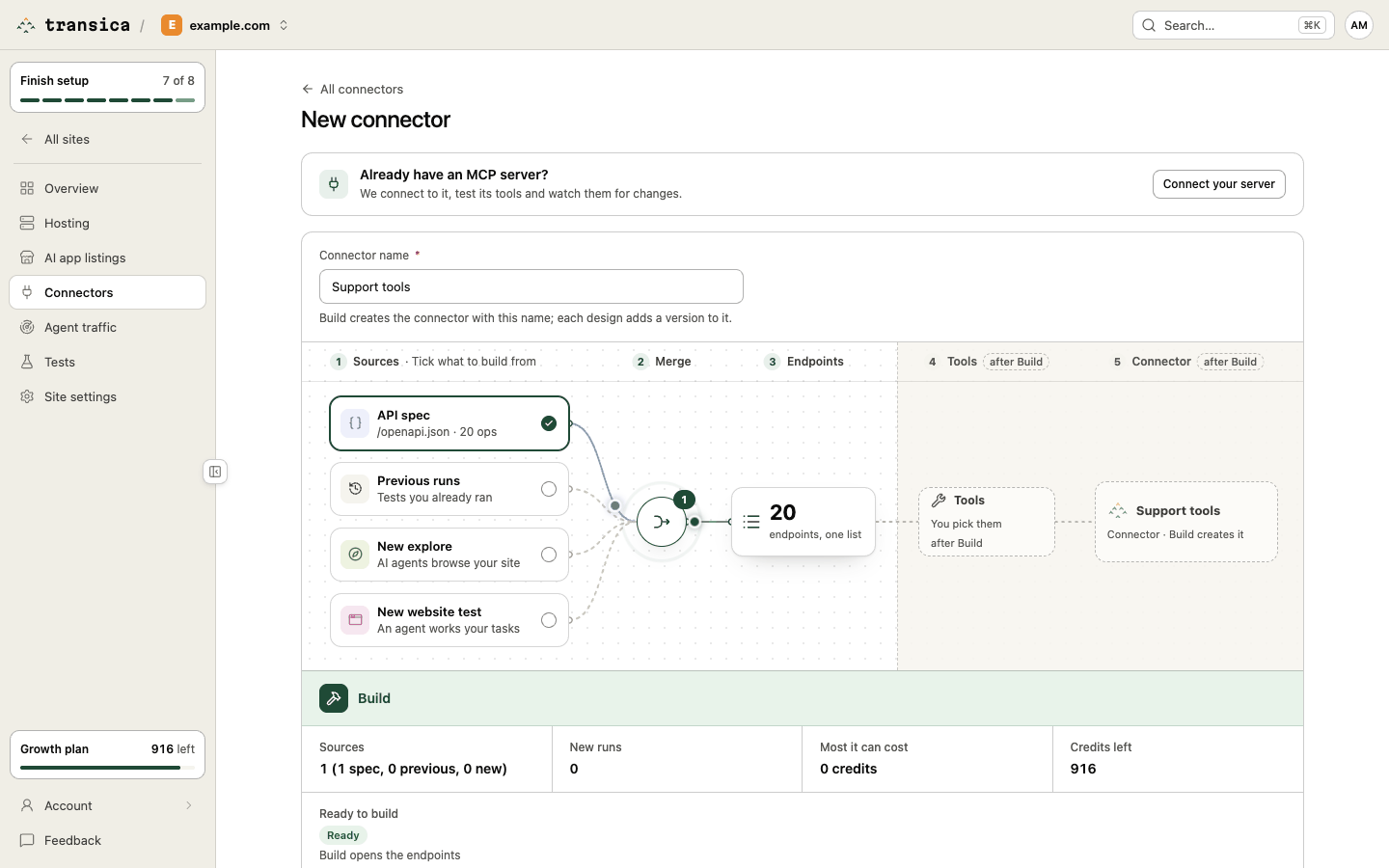
- Open Connectors → New connector.
- Enter a Connector name, for example "Warranty assistant".
- On the canvas, tick API spec. If Transica found a public spec on your site, it's already filled in. Otherwise the drawer opens; choose:
- Found on your site: a spec linked from your site.
- Upload JSON file.
- From an address: a URL Transica fetches (public, size-limited).
- Paste a spec.
- Optional: tick other sources too (previous runs, a new explore), to add observed endpoints and evidence to the documented ones.
- Select Build.
Specs up to 1 MiB and 1,000 operations are fine. A copy of the spec is kept with the connector, so future versions can re-read it.
In guided setup
When Transica finds a spec on your site, guided setup's step 4, Find what to build, offers it (marked Recommended): tools straight from the spec, with no agent runs.
2. Pick endpoints
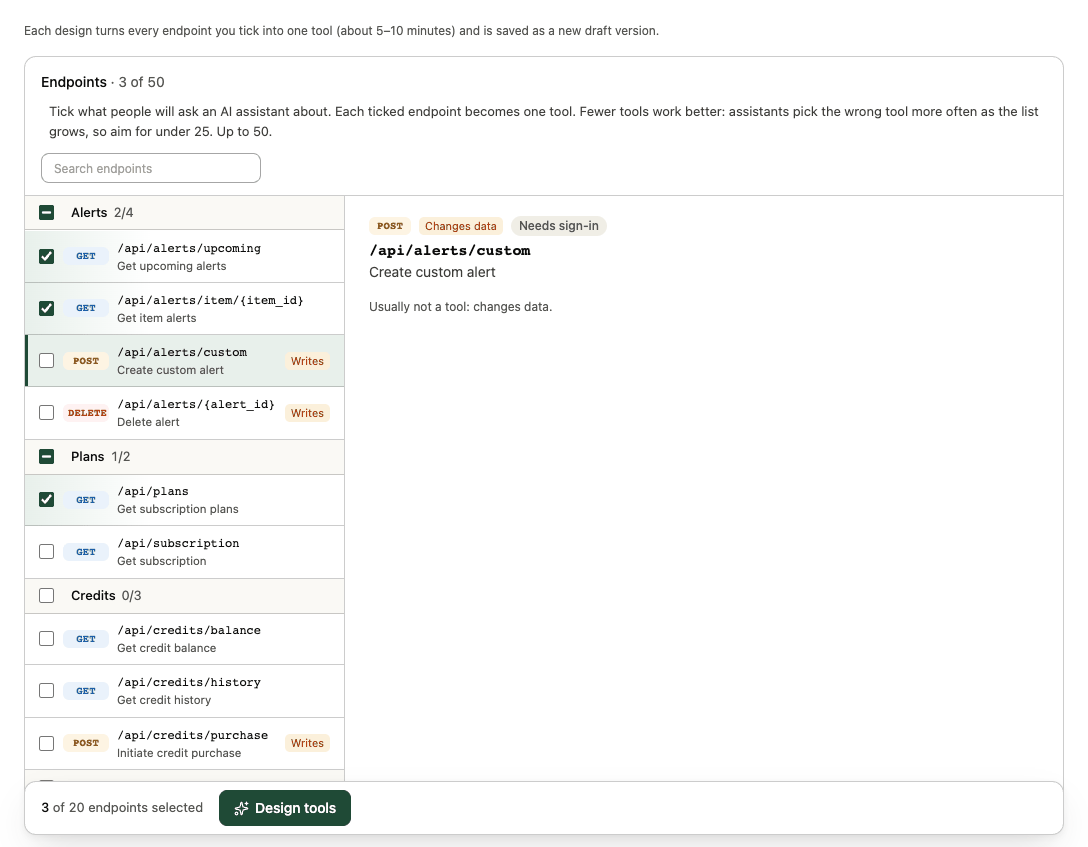
You land on Select the endpoints to turn into tools. Endpoints are grouped by area (tags in your spec), with search.
- Tick what customers would actually ask an assistant to do. Each ticked endpoint becomes one tool.
- Aim for under 25; the maximum is 50. Assistants pick the wrong tool more often as the list grows.
- Prefer reads (GET) first. Endpoints that change data are tagged Writes: they can be included, but they only run once an admin approves them for hosting.
- High risk endpoints (money, account closure, credentials, outreach) are never run. Admin and deprecated endpoints are best left unticked; their areas are listed last.
- Documented pages that return HTML rather than JSON are tagged Page and become page-reading tools.
Select a row to see its parameters, whether it needs sign-in and whether it was documented, observed or both.
3. Design the tools
Select Design tools. AI turns each ticked endpoint into exactly one tool: a clear name, a title, a description of purpose, result and when to use it, and the Destructive and Open world hints. Read-only is set from the HTTP method. It usually takes 5–10 minutes; you can leave the page and come back (the design reopens from its link).
The result is saved as a draft version. Continue with Design, review and publish tools.
Changing it later
- Design new version on the connector page reopens the picker with the current endpoints ticked and re-reads the spec (from your site or address): new operations are tagged New, and a note says what changed since the last version. Tools you edited by hand keep your text.
- Edit sources (on the Sources tab) adds or removes sources.