AI app listings
Your connectors' listings in the ChatGPT app directory and the Claude connectors directory: which are started, how ready each is, and the way into the Get listed flow.
Where: sidebar → AI app listings (/dashboard/sites/<site>/directories).
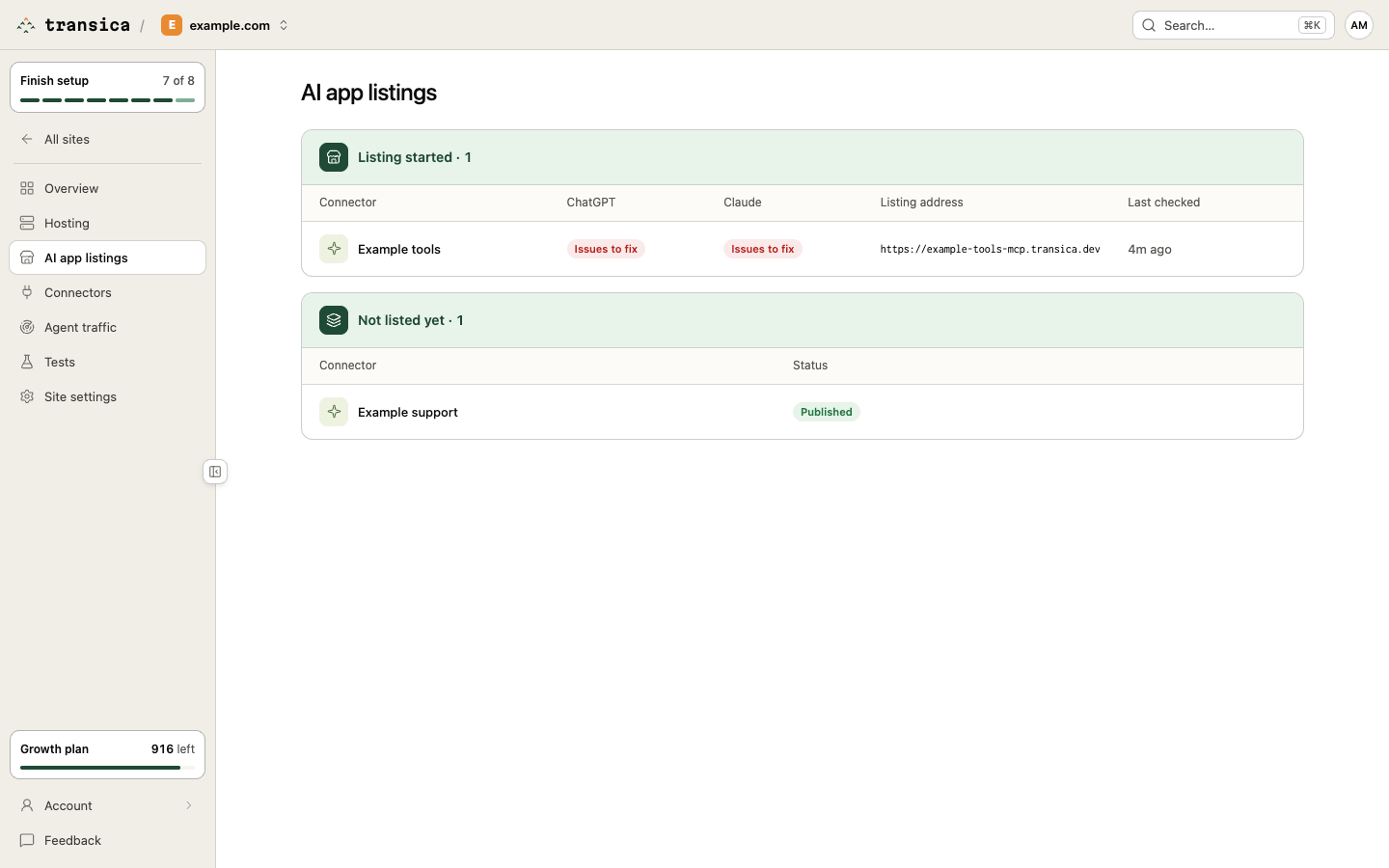
The list has two groups. Select a row to open that connector's listing readiness.
- Listing started: connectors whose listing you started. Each row shows its ChatGPT and Claude state (Ready, Needs input, Issues to fix, or the submission's status), the Listing address and when it was Last checked.
- Not listed yet: every other connector, with its status (Draft, Published, Unpublished).
You can also reach a connector's listing from its page: More → List in directories.
Listing readiness
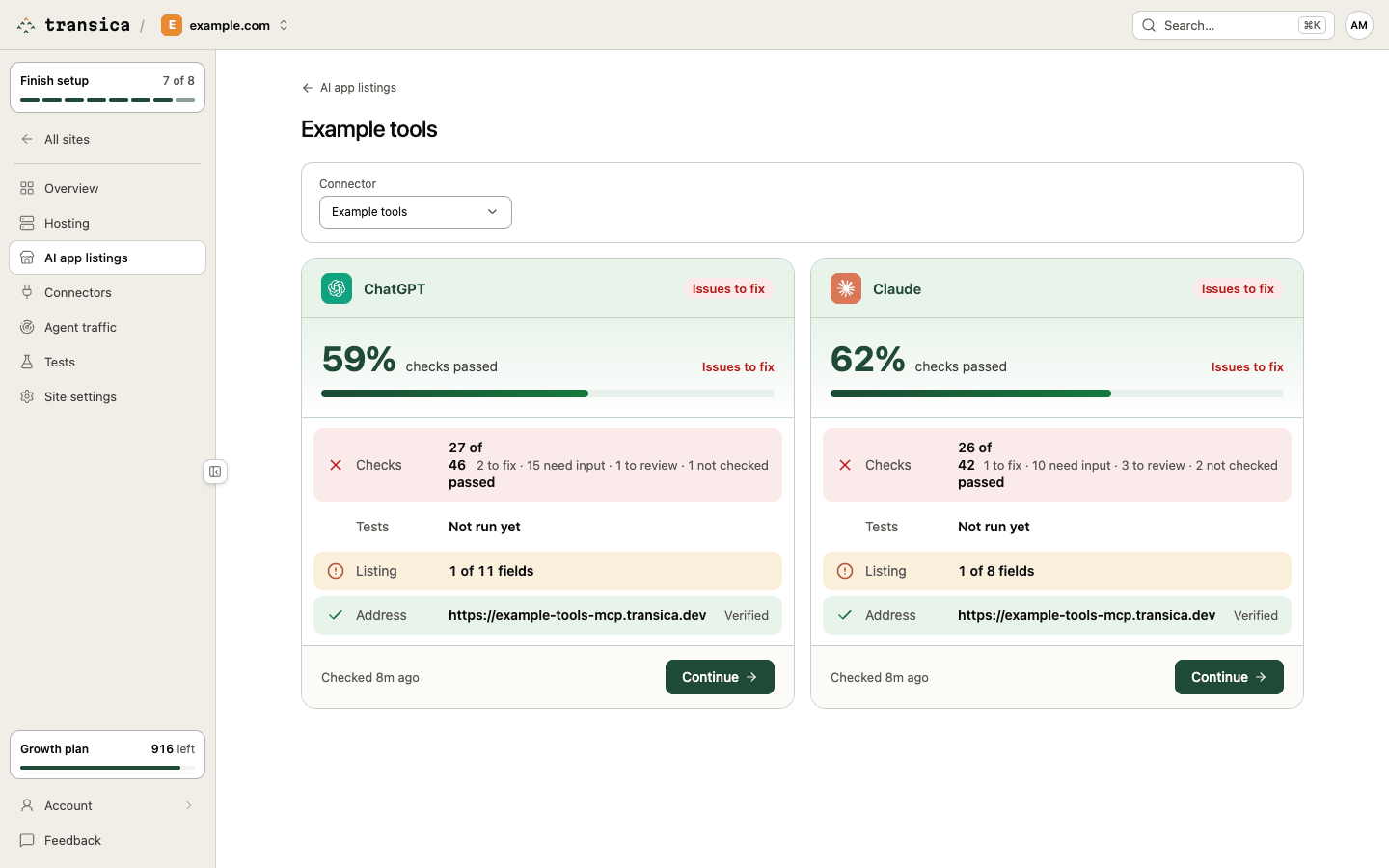
Where: select a connector in the list (/directories/<connector>). Switch connectors with Connector at the top. Opening the page runs each platform's checks when they're out of date; it doesn't start a listing.
One card per platform shows the share of checks passed, with a bar, and these rows:
| Row | Meaning |
|---|---|
| Checks | How many of the platform's checks passed, and how many are to fix, need input (something only you can provide, like a logo or a confirmation), to review (AI-assisted, may be wrong), not checked or to re-check (an AI check that ran on older rules). After a rules change it says when the rules changed. |
| Tests | The platform's test prompts: Not run yet, or Positive 5/5 and Negative 3/3 chips. |
| Listing | Required fields filled, for example 9 of 11 fields. |
| Address | The listing address, Verified or Pending verification, once set. |
The badge at the top of each card sums it up: Ready, Needs input or Issues to fix, then the submission's status once you've recorded one. These describe preparation, never approval: each platform reviews submissions itself. The footer says when the card was checked and submitted.
The card's button opens the Get listed flow for that platform: Get started (this starts the listing), Continue or View status. If the live version of a submitted connector breaks a platform rule, the card counts it as a check to fix and the button becomes See what to fix, which opens the tool on the connector page.
Which directories
Transica supports the ChatGPT app directory (OpenAI calls listed apps plugins) and the Claude connectors directory. Each platform's fields, limits and confirmations are kept as versioned rules. A daily watcher re-reads the official pages; until we've reviewed a change, the affected flow shows a quiet "We're reviewing the change" note. Once a reviewed change is published, the affected checks carry a Changed or New tag for 30 days with what the rule was and what your listing has. On Business and up, admins are emailed when a published change affects a listed connector.