Share a comparison report
Give your team, your boss or a customer a read-only link to a comparison's result, without giving them an account or exposing your data.
You need: a comparison. Who: members and admins.
Create a link
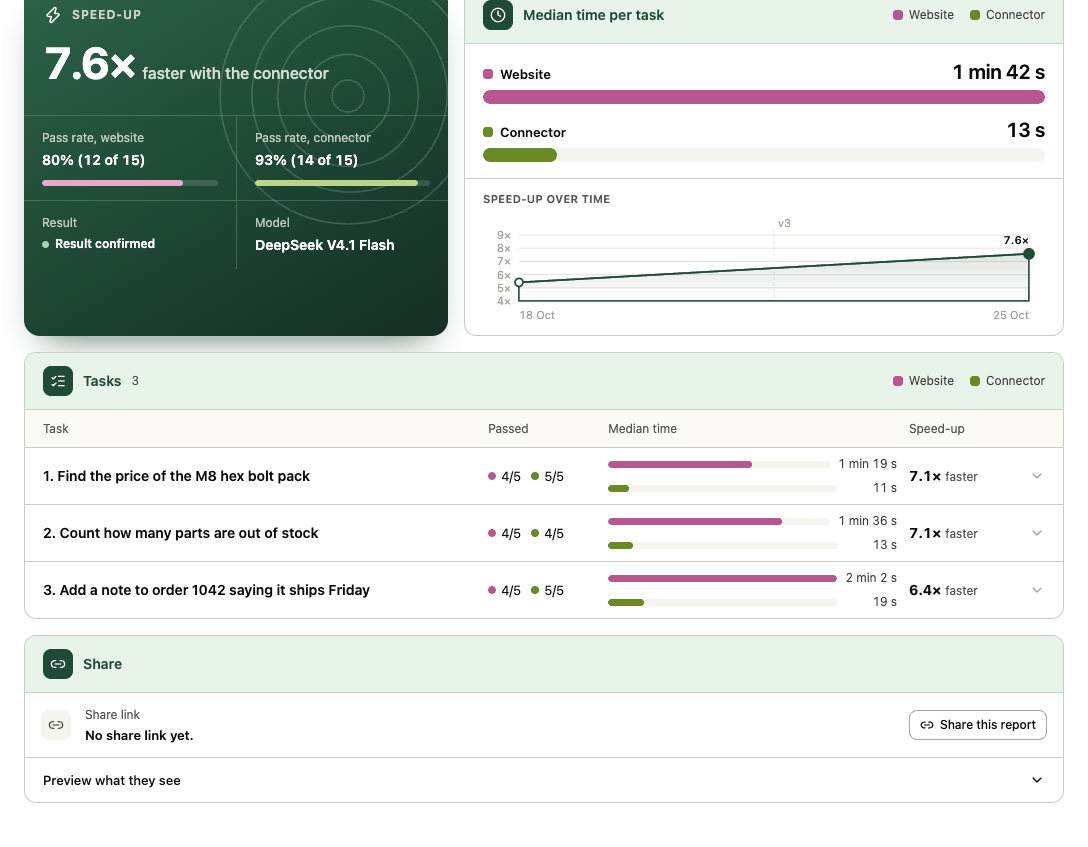
- Open the comparison report and scroll to the Share card at the bottom of the Overview tab.
- Open Preview what they see to check the shared page first.
- Select Share this report. The link is created and copied; the card then says Shared: anyone with the link can view, shows the link, and offers Copy share link.
Anyone with the link can open https://transica.dev/share/<token> without signing in. A comparison has one link at a time.
What the shared page shows
| Shown | Never shown |
|---|---|
| The site, connector, date and rubric version | Agents' answers |
| The result, the speed-up rule and the speed-up over time | Tool arguments and errors |
| Passing runs per task | Costs |
| Behaviour findings with run and step evidence | Test-account details |
| Fixes, including tool-definition checks | Steps and screenshots |
| The method and its limitations |
The page is built from aggregates on the server, is hidden from search engines, and prints cleanly to PDF from the browser.
Revoke a link
Back in the Share card, select Revoke link and confirm. The link stops working immediately; sharing again creates a new address. Creating and revoking links are recorded in the audit log.