Comparison reports
A comparison runs the same tasks through your website and your connector, with the same AI model, limits and checks on both sides. Its report answers one question with evidence: is your product faster and more reliable for AI assistants through the connector?
Where: Tests → Comparisons, open a row, then select a run (/dashboard/sites/<site>/tests/comparisons/<comparison>).
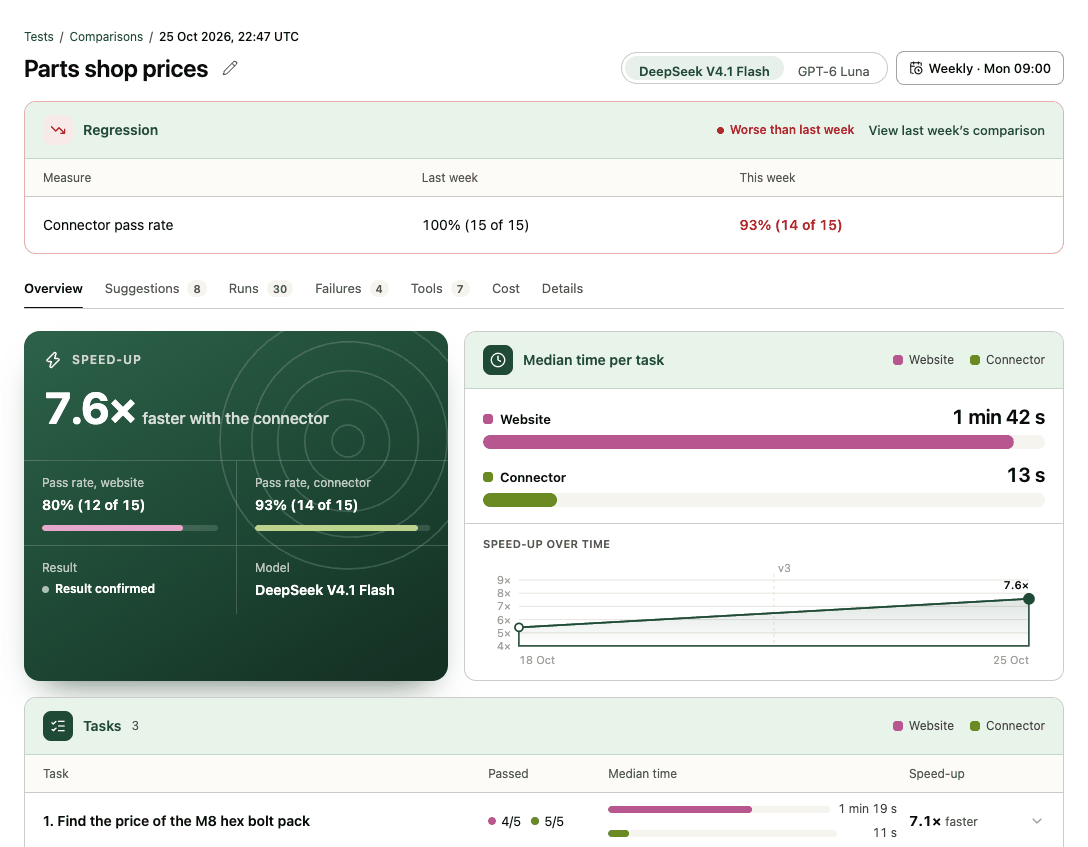
Header
- Title (the comparison's name; the pencil renames it), under a Tests / Comparisons / date breadcrumb.
- AI model: when the comparison used 2 or 3 models, switch between them. Every tab follows the choice.
- Run weekly (or Weekly · Mon 09:00 once scheduled): opens the Weekly runs panel. See Schedule weekly comparisons.
- Regression (scheduled runs only): when a weekly run did worse than the previous like-for-like run, one row per Measure with Last week and This week, and View last week's comparison.
Tabs
Overview. The claim and the evidence behind it:
- Speed-up: for example "7.6× faster with the connector" (or slower), shown only when it's backed by enough evidence (see the rule below), with Pass rate, website, Pass rate, connector, the Result (Result confirmed) and the Model. Without enough evidence the card reads Not enough data and shows Matched passing runs (for example 1 of 3 needed). While running, it counts runs done.
- Median time per task: both sides as a race, and Speed-up over time across earlier runs of the same tasks.
- Tasks: per task, Passed on each side, Median time and Speed-up. Open a task for the matched passing runs, both medians and whether it writes data.
- Share: create a share link (see below).
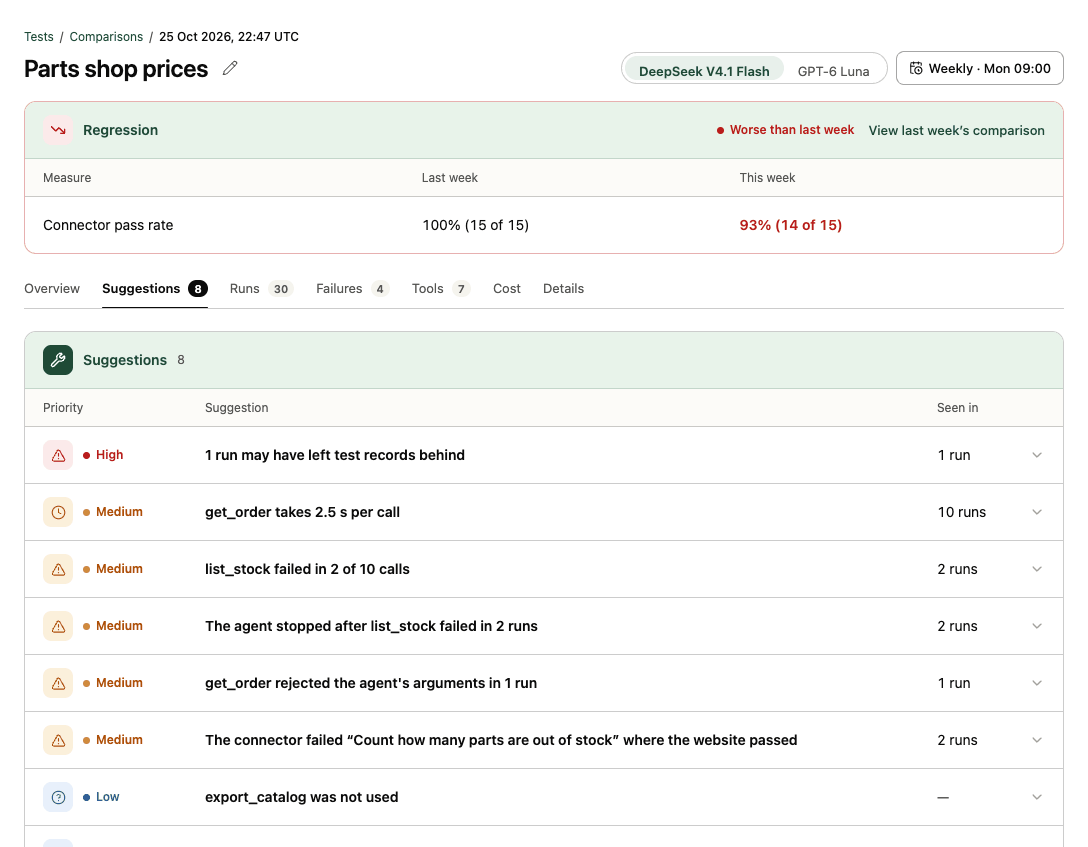
Suggestions. Rule-based fixes, each with a Priority, the Suggestion, and the runs it was Seen in, for example "get_order rejected the agent's arguments in 1 run" or "Website agents were blocked at sign-in in 2 runs". Open one for what happened, the fix, and buttons that open each run (and step) as evidence.
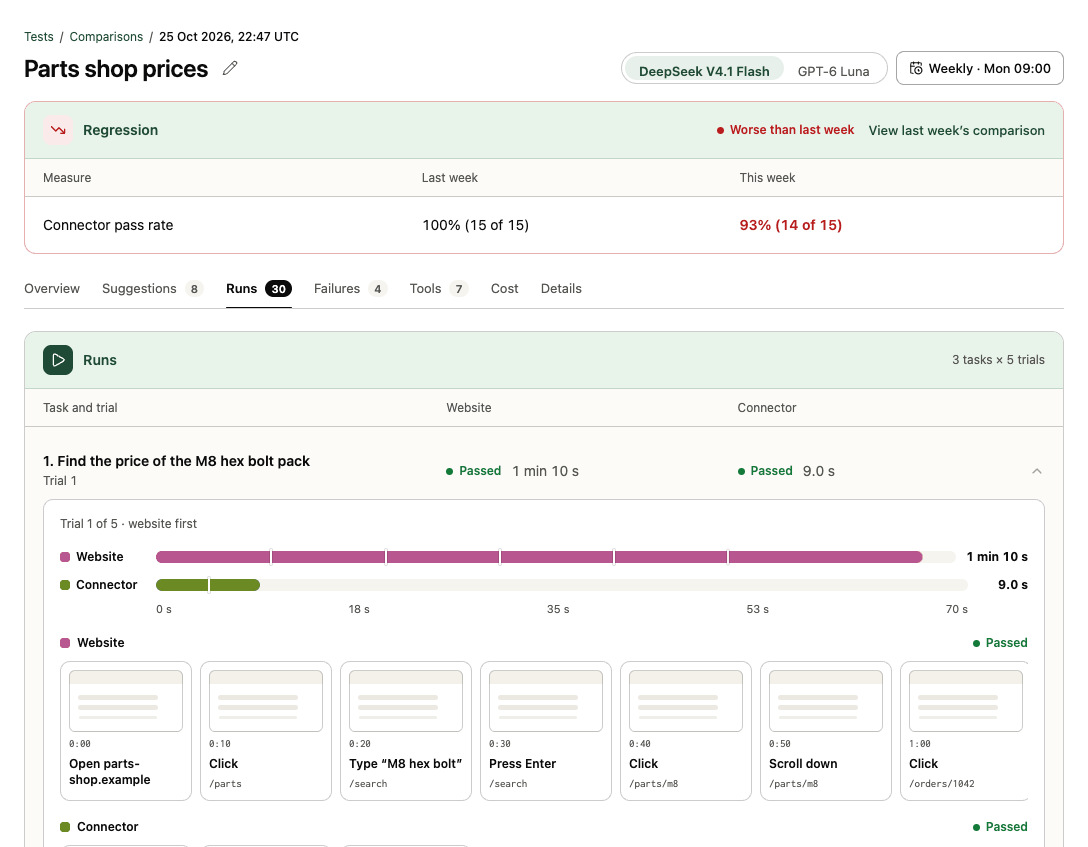
Runs. One row per task and trial with the Website and Connector result. Open one for both runs on one time scale (and which side went first), then the website's steps as screenshots and the connector's tool calls.
Failures. Failures by reason for each side, then every failed run with its Side, Reason, Task and Trial. Reasons include Wrong answer, Blocked at sign-in, Blocked by a bot challenge, Stopped at payment, Reached step limit, Reached time limit, Tool error and Agent gave up.
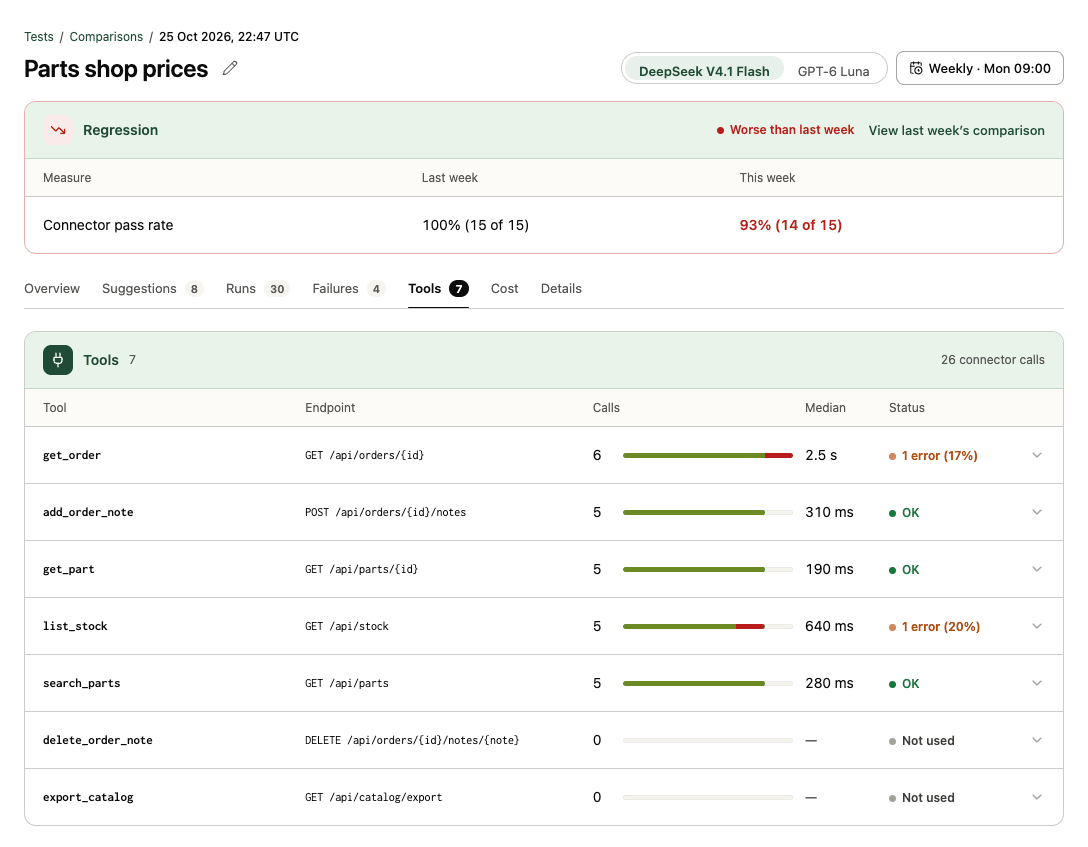
Tools. Per tool: Endpoint, Calls, Median time per call and Status (OK, the error count and rate, or Not used).
Cost. AI cost per successful task for the website and the connector, with tokens per run, and Credits charged for this comparison. With several models, cost by model; and cost by task.
Details. Site, Connector and version, Compared with (Hosted connector or Your MCP server), Tasks (and how many change data), Trials ("5 per side; website ran first in trials 1, 3, 5…"), AI model, Started, Signed in, Changes reverted (how many records created during write trials were removed and verified) and the Speed comparison rule. Delete report at the bottom (admins, once finished) permanently deletes the comparison's runs.
The speed-up rule
A speed-up is reported only when the website and the connector both passed the same check on the same task and trial at least 3 times. Times are medians of those passing runs, excluding setup and verification, with the range shown. Trials alternate which side goes first.
Share links
From the Share card on the Overview, members and admins select Share this report. That creates a link anyone can open without signing in, and copies it. Preview what they see shows the shared page first. The shared page (/share/<token>) shows the site, connector, date and rubric version, the result, tasks, behaviour findings with run and step evidence, tool calls, fixes, tool-definition checks and the method. It never shows answers, arguments, errors, costs or test-account data, is hidden from search engines, and can be printed to PDF. Revoke link turns it off at once; creating and revoking are recorded in the audit log. See Share a comparison report.