Build a connector from tests and explores
No API spec? Build from what AI agents observed on your site. Every AI browser test and explore records the API calls your pages make; Transica merges them into one list of endpoints you can turn into tools.
You need: a verified site and at least one finished AI browser test or explore (or start new ones as part of the build). Who: members and admins.
Steps
- Open Connectors → New connector and enter a Connector name.
- On the canvas, tick one or more sources (up to 10 runs in all):
- Previous runs: search and tick finished AI browser tests and explores that recorded traffic (newest first). Running ones appear once they finish.
- New explore: plans a fresh explore.
- New website test: name it, write tasks (or pick a task set) and set Runs per task for a fresh AI browser test.
- API spec too, if you have one: documented and observed endpoints merge, and endpoints seen in both rank highest.
- Check the Build panel: Sources, New runs, Most it can cost (unused runs are refunded) and Credits left. Select Build.
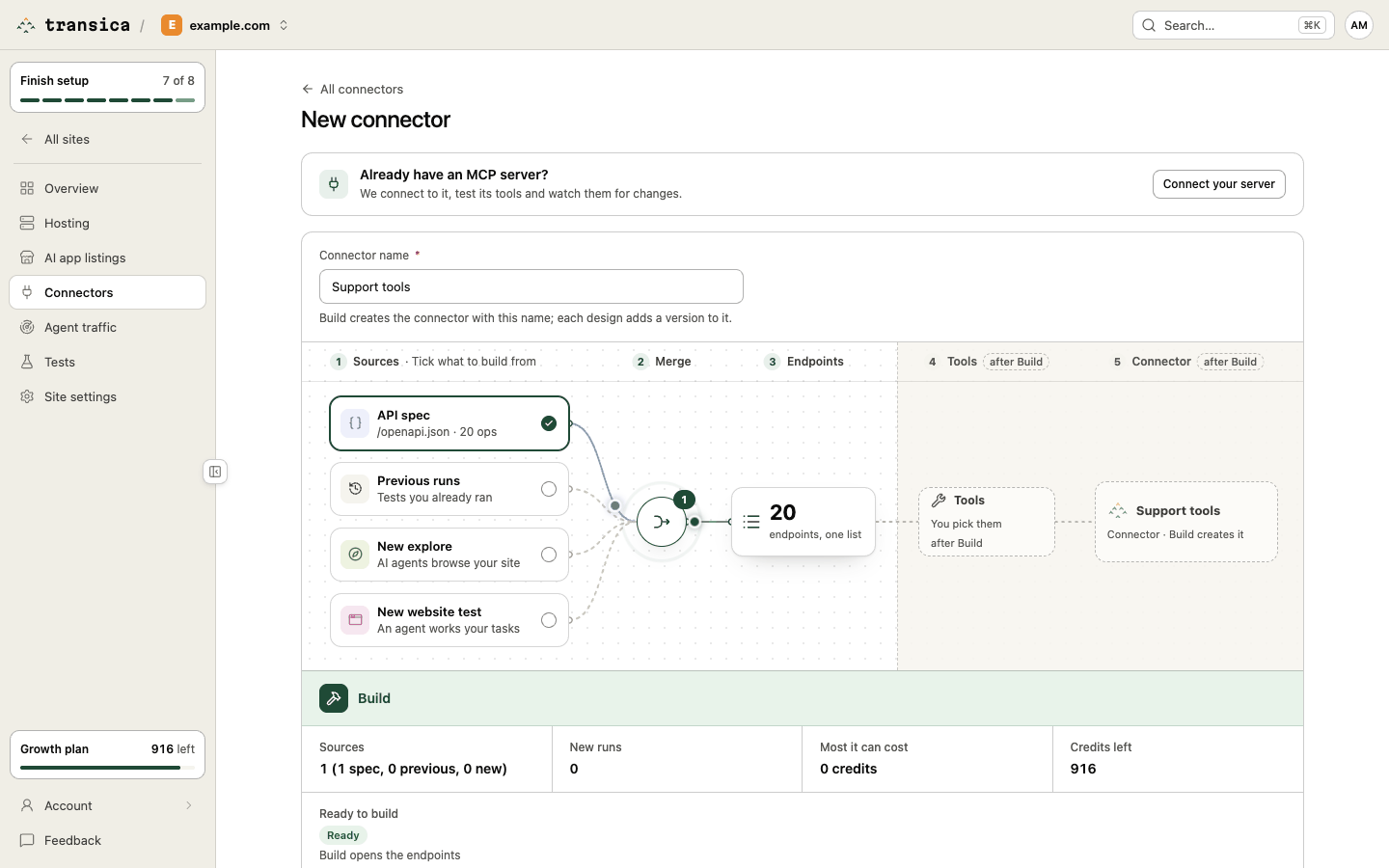
The connector is created at once with status Building, any new runs start, and the canvas turns into the endpoint picker. While runs are going, the Building from panel shows each source as Waiting, Running, Done or Failed with View test links; once they finish, the endpoints appear. You can leave the page and come back from the connector in All connectors.
- Tick the endpoints to turn into tools (each becomes one tool; aim for under 25) and select Design tools. See Build a connector from your API spec for how to choose.
Then review and publish.
Shortcuts
- From a test report: select Find endpoints on a finished AI browser test or explore. New connector opens with that run ticked under Previous runs.
- In guided setup: step 5, Draft a connector, runs this whole flow inline: tick finished runs, name it, pick endpoints, design, review and publish.
What gets recorded, and what doesn't
During tests and explores, Transica captures the shape of the JSON requests and responses your pages make, with fields masked. Request bodies are read only for their structure and never stored, uploads are never read, and samples expire automatically. Endpoints are worked out from the tests each time; the connector keeps links to whole tests (its Sources), not copies of your data.
Changing sources later
On the connector page, Sources → Edit sources (or Change sources on the picker) reopens the canvas for that connector as Edit sources. Every Design tools adds a version to the same connector.