Explore your site
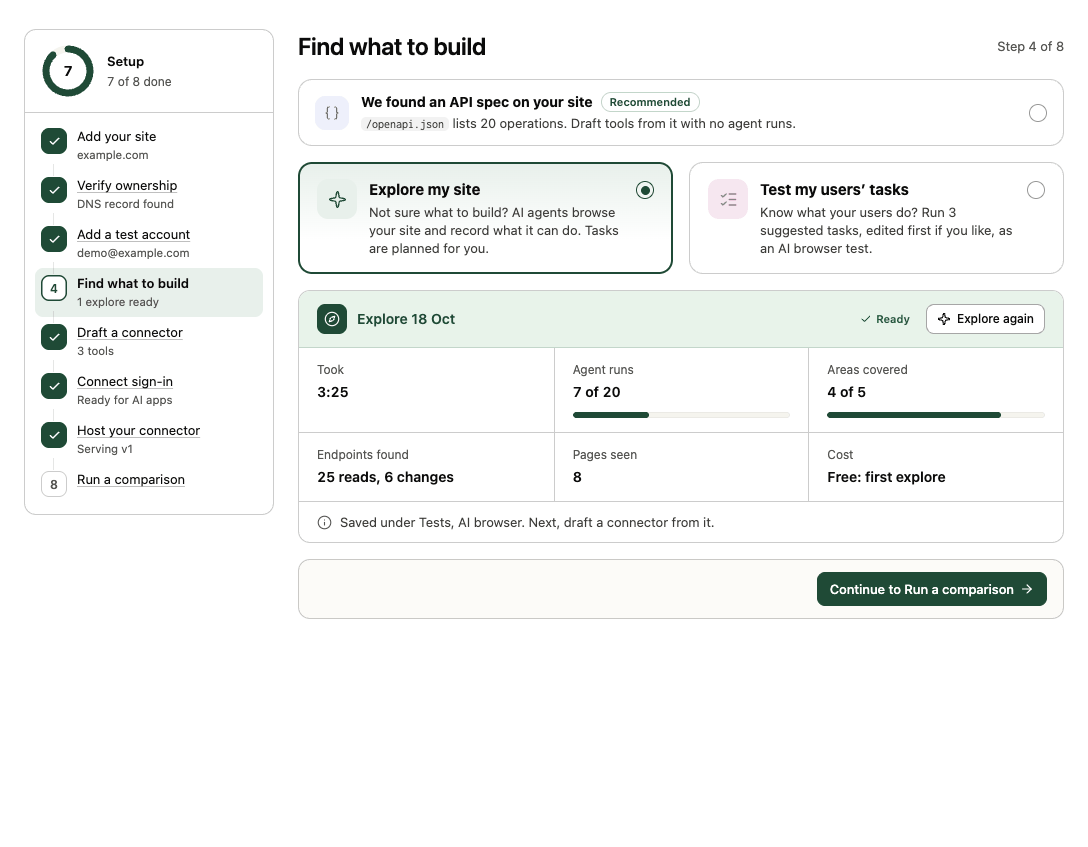
Not sure what to build? An explore sends a swarm of read-only AI agents through your site, area by area, and records what it can do and which API calls its pages make. The result is a map of endpoints you can turn into a connector.
You need: a verified site. A site's first explore is free; after that each agent run costs 0.3 credits (at most 20 runs, so at most 6 credits). Who: members and admins.
Start an explore
Explores start from two places:
- Guided setup → Find what to build → Explore my site → Start exploring. Before it starts you see the Planned tasks (from your site map), Follow-up runs (up to 20 runs in total) and Most it can cost. It's named automatically ("First explore", "Explore 2"…).
- Connectors → New connector: tick New explore on the canvas and open it to plan the run. Edit, add (Add a task) or remove planned tasks (Reset tasks brings back the suggested ones), pick a Run cap (5 to 20 runs) and give it a Run name. It starts when you select Build, alongside any other sources you ticked.
Each agent run is limited to 12 steps and 2 minutes. Credits for the whole run cap are reserved at the start, and unused runs are refunded.
What happens
- Site map. Transica reads your sitemap and your home page's navigation, header and footer (respecting robots rules, same site only, up to 30 pages) and checks which key sections are readable.
- Wave 1. One read-only agent per area: the home page, each readable key section and, with a test account, the account area. Agents answer plain-fact questions about each area while Transica records the API calls the pages make.
- More waves. After each wave a coverage check counts areas reached, endpoints found and how much is known about each. The next wave fills the gaps.
- Stop. When all areas are covered, a wave finds nothing new, the run cap is reached, or after 5 minutes. The report's Stopped because says which.
If the site has a default test account, agents sign in with it; public areas fall back to signed out if sign-in fails, and the notes say what was left out.
See the results
In guided setup, the explore's card shows its Stage, Time so far, Agent runs, Endpoints found and Pages seen while it runs, and what it found when it's done.
Every explore is also listed under Tests → AI browser with Source: Explore. Its report groups tasks under the site map and each wave, with the API calls each found, and Open build goes to the connector it feeds. See Explore reports. An explore never creates tools by itself: you choose which endpoints to turn into tools.
Next: Build a connector from tests and explores.
What explores don't do
Explores only read. They never submit forms, never sign up, never touch high-risk areas (payments, account closure, credentials, messaging) and respect robots rules.