Compare your website and connector
Run the same tasks through your website and your connector, with the same AI model, limits and checks, several trials each. The report tells you, with evidence, whether assistants get your customers' answers faster and more reliably through the connector.
You need: a published connector that's hosted (or your own MCP server), tasks with answer checks, and credits for the website side (connector runs are free). Who: members and admins (admins allow changes).
Steps
- Start from any of:
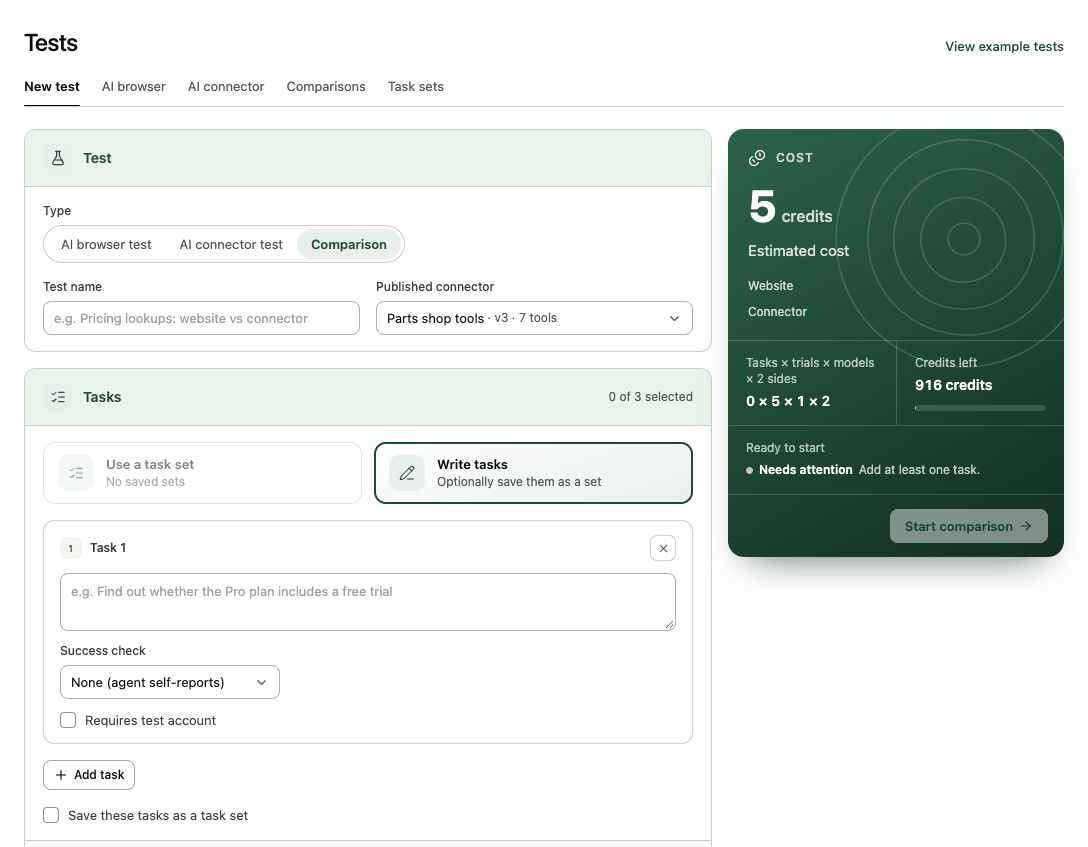
- Tests → New test → Comparison;
- guided setup → Run a comparison (the last step, once hosting is on);
- Compare with website on an AI connector test report;
- More → Compare with AI browser test on the connector page.
- Enter a Test name and pick the Published connector.
- Add up to 3 tasks, each with an Answer mentions… check (required for comparisons). Set tasks without one show Add answer check.
- Under Settings:
- Trials per side: 3 to 10, 5 recommended. More trials give firmer numbers.
- AI models (up to 3): each model runs both sides. The Free plan uses the default model only; on paid plans pick any. Website runs cost 1 credit each, 3 with Gemini 3.8 Flash.
- Start page and Test account.
- Allow changes (admins, connectors with write tools): lets agents use the connector's write tools and submit forms on the website. Records they create are removed afterwards and the removal is checked.
- Check the estimate (tasks × trials × models × 2 sides) and select Start comparison.
One runner takes the whole comparison and alternates which side goes first in each trial, so neither side benefits from warm caches. The report opens and counts runs as they finish.
Read the report
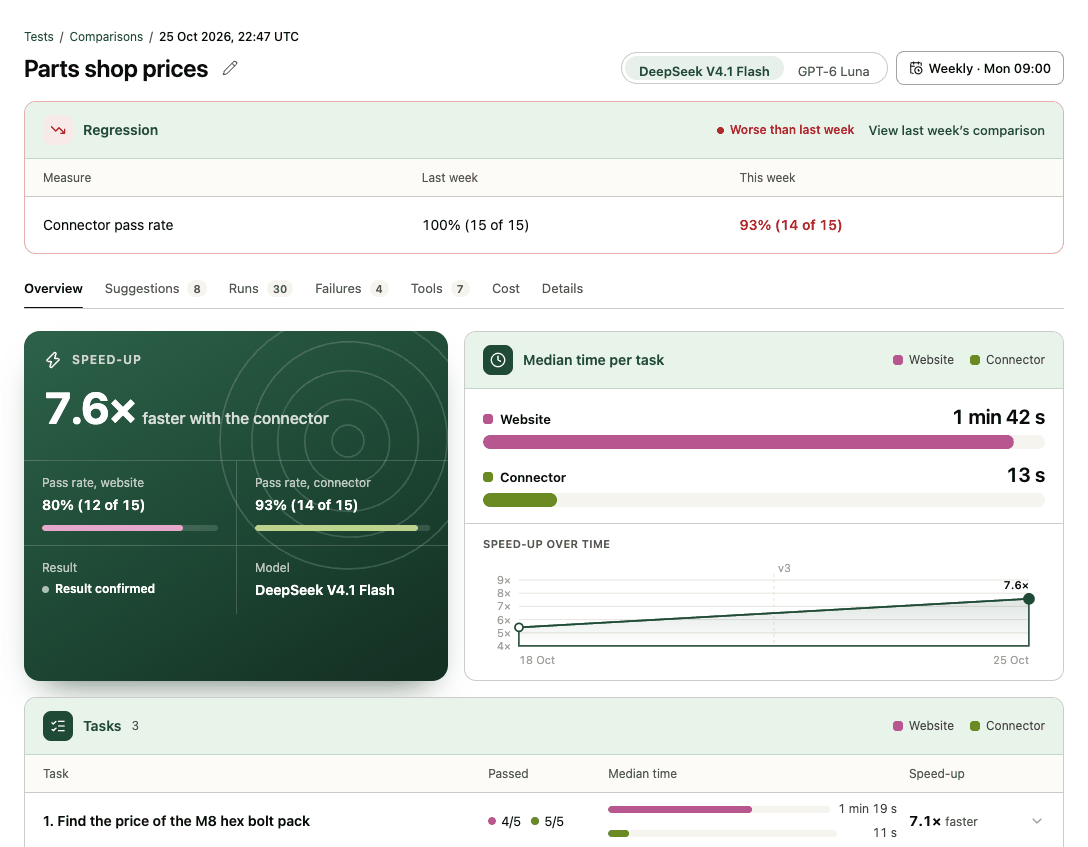
- Overview: the speed-up ("7.6× faster with the connector"), both pass rates, the result (Result confirmed or Not enough data), the median time per task as a race, the speed-up over time, and each task.
- Suggestions: what to fix, by priority, each linked to the runs where it happened.
- Runs: each trial side by side, with the website's screenshots and the connector's tool calls.
- Failures, Tools, Cost and Details: see Comparison reports.
A speed-up is only claimed when both sides passed the same check on the same task and trial at least 3 times; otherwise the report says there isn't enough data. That's deliberate: the numbers are meant to stand up when you share them.
If writes couldn't be undone
If a write trial created something Transica couldn't trace and remove, tests that change data pause on that site until an admin clears it, and the report's Changes reverted says how many runs may have left records behind.
Next: Share the report · Run it every week