Schedule weekly comparisons
Run a comparison again every week, unchanged, and get an alert when the connector gets slower or less reliable. Weekly runs are included on Business and up.
You need: a finished comparison and a Business, Growth or Enterprise plan. Who: members and admins (admins for comparisons that allow changes).
Set it up
- Open a finished comparison report.
- Select Run weekly (top right). The Weekly runs panel opens.
- Select Run weekly in the panel.
The comparison then runs every week on the same weekday and hour (UTC) it was started. The schedule snapshots exactly what ran: tasks, checks, models, trials, connector version, test account and whether changes were allowed. There's one schedule per connector: on another comparison of the same connector, Schedule this comparison weekly instead replaces it.
The header button then reads, for example, Weekly · Mon 09:00. Select it to see the panel: Runs (for example Mondays at 09:00 UTC), Next run and Last week (Completed, or Skipped with the reason), with Pause (or Resume) and Stop weekly runs. Stopping keeps past reports.
What happens each week
- At the scheduled time the comparison runs again, using credits as usual. A missed week runs once, not several times.
- It's skipped (and the skip shown under Last week) if agent tests are turned off, the site is removed or unverified, the connector isn't published, a different connector version is published, tests that change data are paused on the site, or there aren't enough credits.
- The new run is compared with the previous like-for-like run. A regression is flagged when a side's pass rate drops by 20 points or more, the speed-up is lost or falls by 25% or more, or a new kind of failure appears.
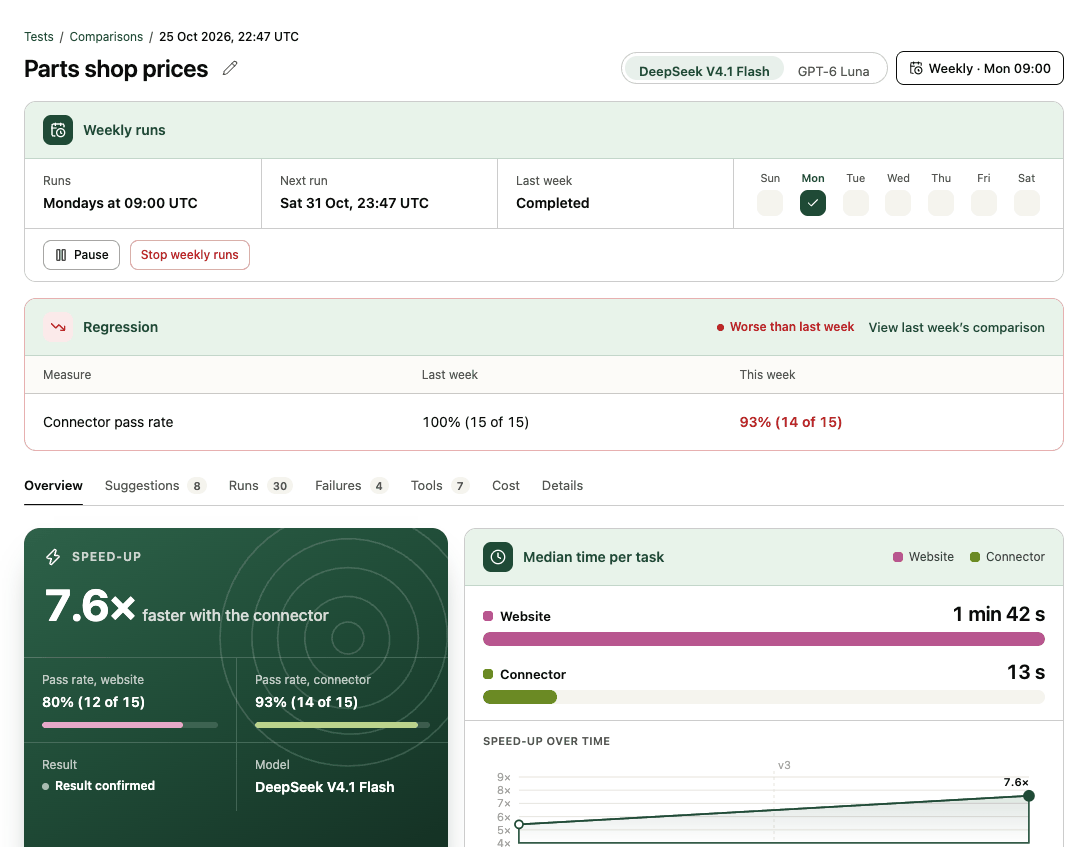
Regressions show on the report and in the Comparisons list (Worse than last week), and admins get an email (Weekly comparison regressions is on by default in email preferences).
Related
For connectors built from your own MCP server, a tool change also re-runs the latest comparison once, so you see the effect of the change. See Connect your own MCP server.