Account, team and billing
The pages under Account in the sidebar: your profile and email preferences, your organization's members and audit log, and billing.
Profile and email
Where: Account → Profile (/dashboard/settings), or Account settings in the account menu.
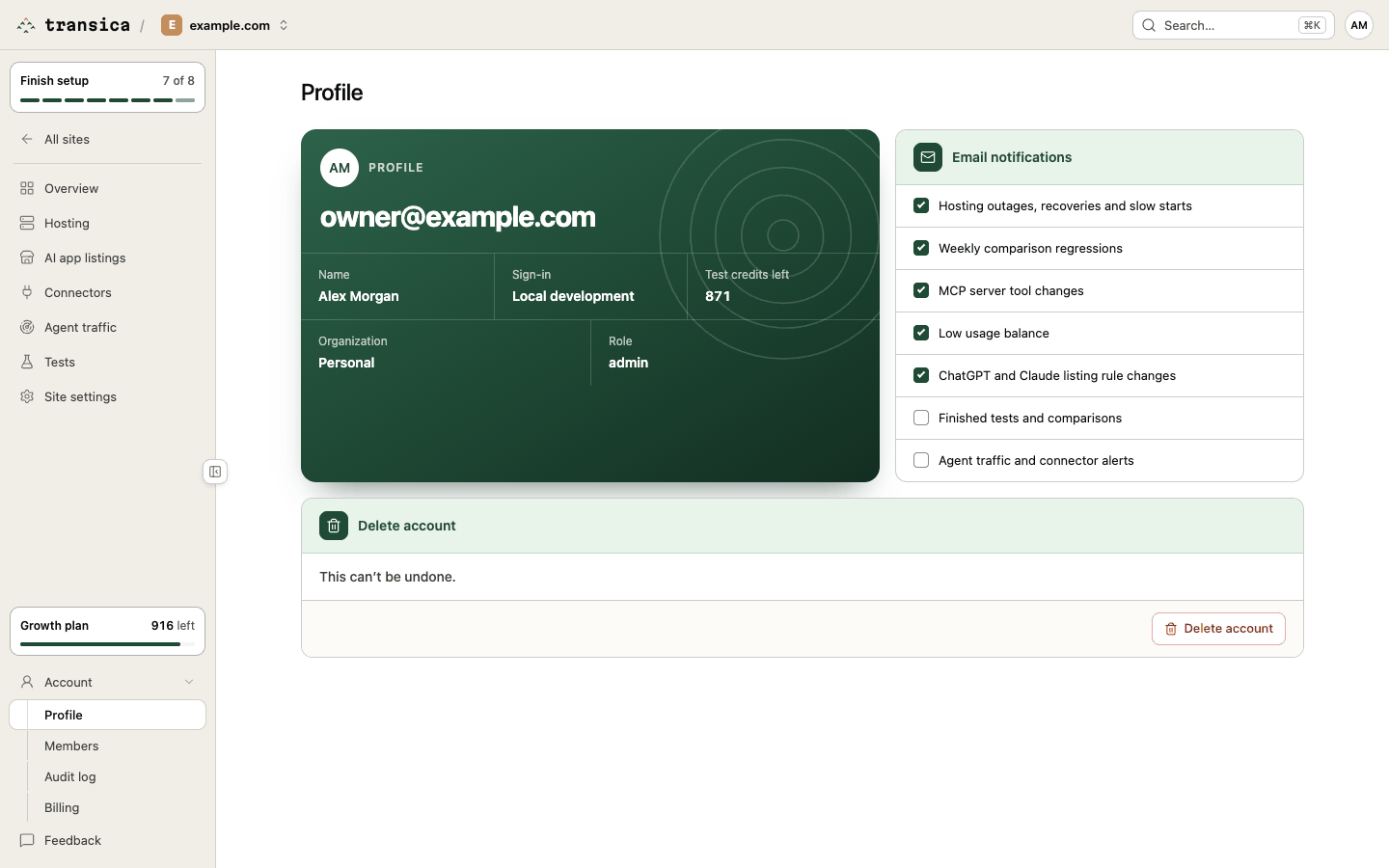
- Profile: your name, email and sign-in methods, managed by our sign-in provider.
- Email notifications: tick which emails you get. On by default: Hosting outages, recoveries and slow starts, Weekly comparison regressions, MCP server tool changes, Low usage balance and ChatGPT and Claude listing rule changes. Off until you tick them: Finished tests and comparisons and Agent traffic and connector alerts. Every notification email also has an Unsubscribe from these emails link that turns off only that kind.
- Delete account: removes your account, your personal workspace and any organization where you're the only member. Type your email to confirm. It's blocked while you're the only admin of an organization that has other members (make someone else admin first), while a paid plan is active, or while work is running.
Members
Where: Account → Members (/dashboard/settings/members).
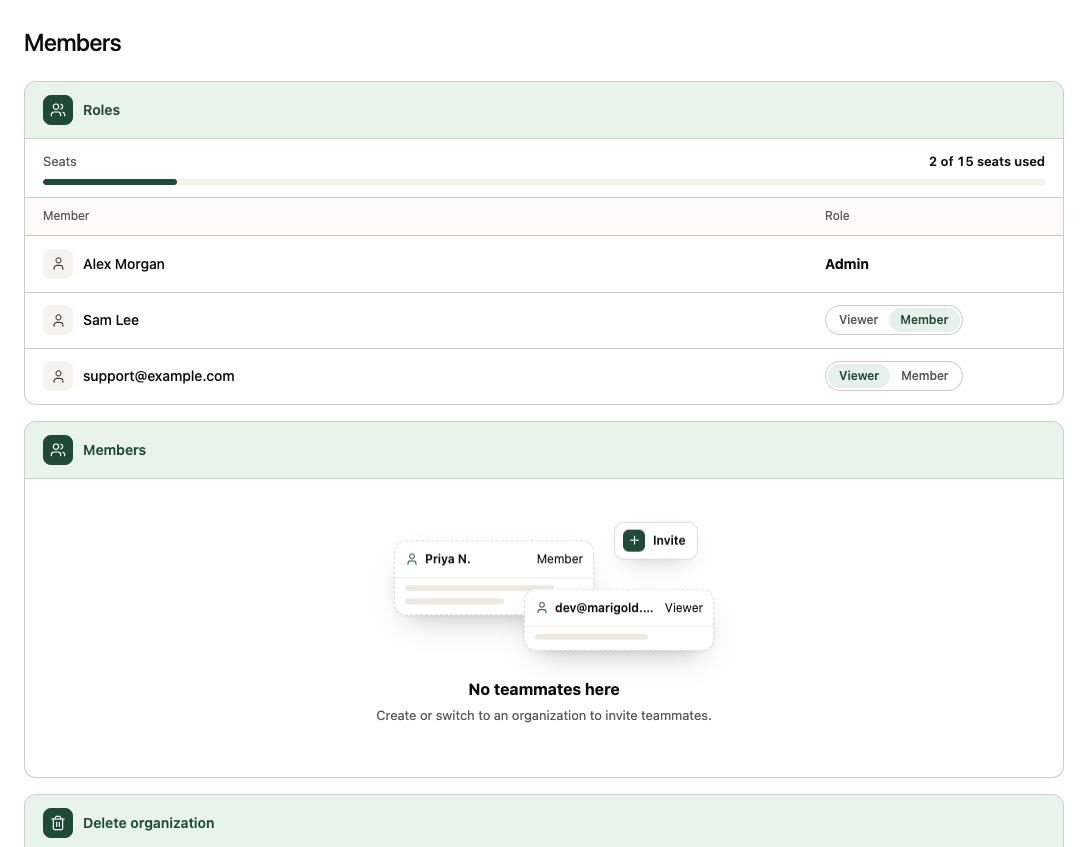
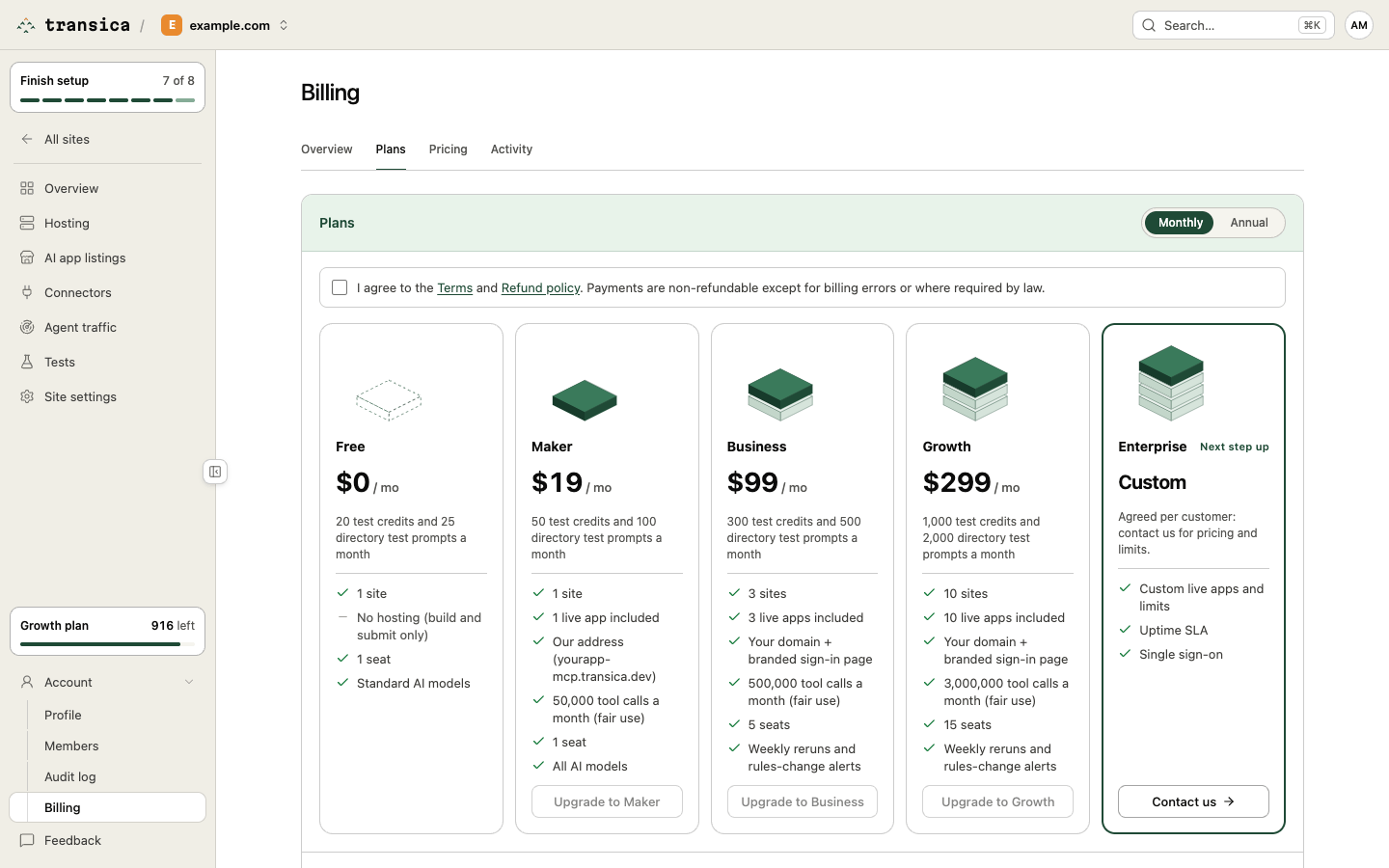
- Roles: Seats used against your plan's seats (Free and Maker 1, Business 5, Growth 15), then each person and their role. Admins can switch a member to Viewer and back to Member. Viewers can read everything but change nothing, and don't use a seat.
- Members: invite teammates by email and manage admins and members. Your personal account is just you; create or switch to a team organization (from the organization switcher in the top bar) to invite people.
- Delete organization (admins): type the organization's name to confirm. It's blocked on an active paid plan (cancel it in Billing first) or while tests, comparisons or publishing are running.
See Manage your team and Roles and permissions.
Audit log
Where: Account → Audit log (/dashboard/settings/audit). Maker and up; viewers can't see it.
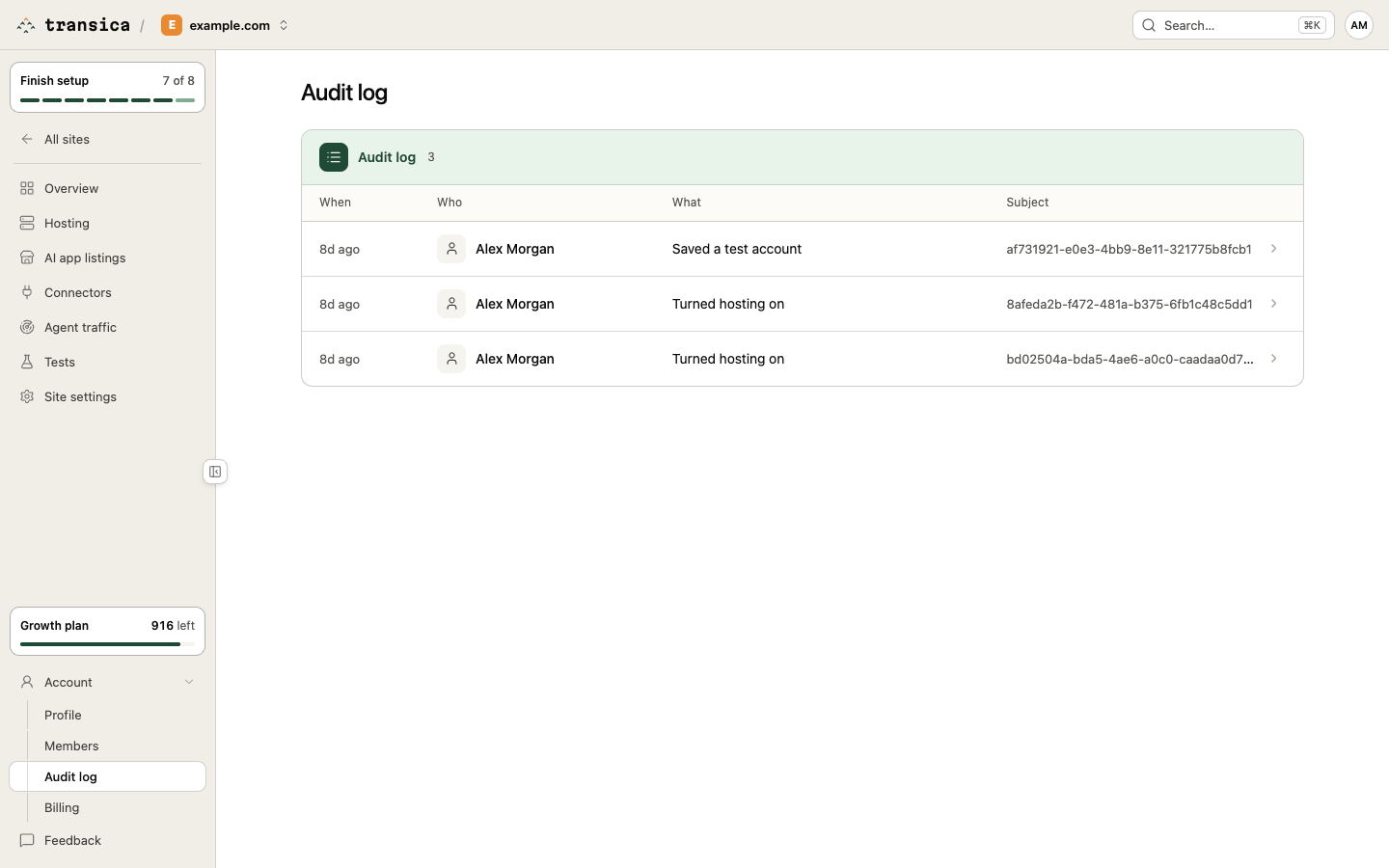
Who did what, and when, in four columns: When, Who, What and Subject. It records tests and comparisons started, write approvals, hosting turned on, off or paused, test accounts saved or removed, sites removed, credits bought, reserved and refunded, plan changes and terms accepted at checkout, share links created or revoked, weekly comparisons set or stopped, connectors deleted, and member changes.
Billing
Where: Account → Billing, or the plan chip in the sidebar (/dashboard/billing). Anyone can look; admins make changes.
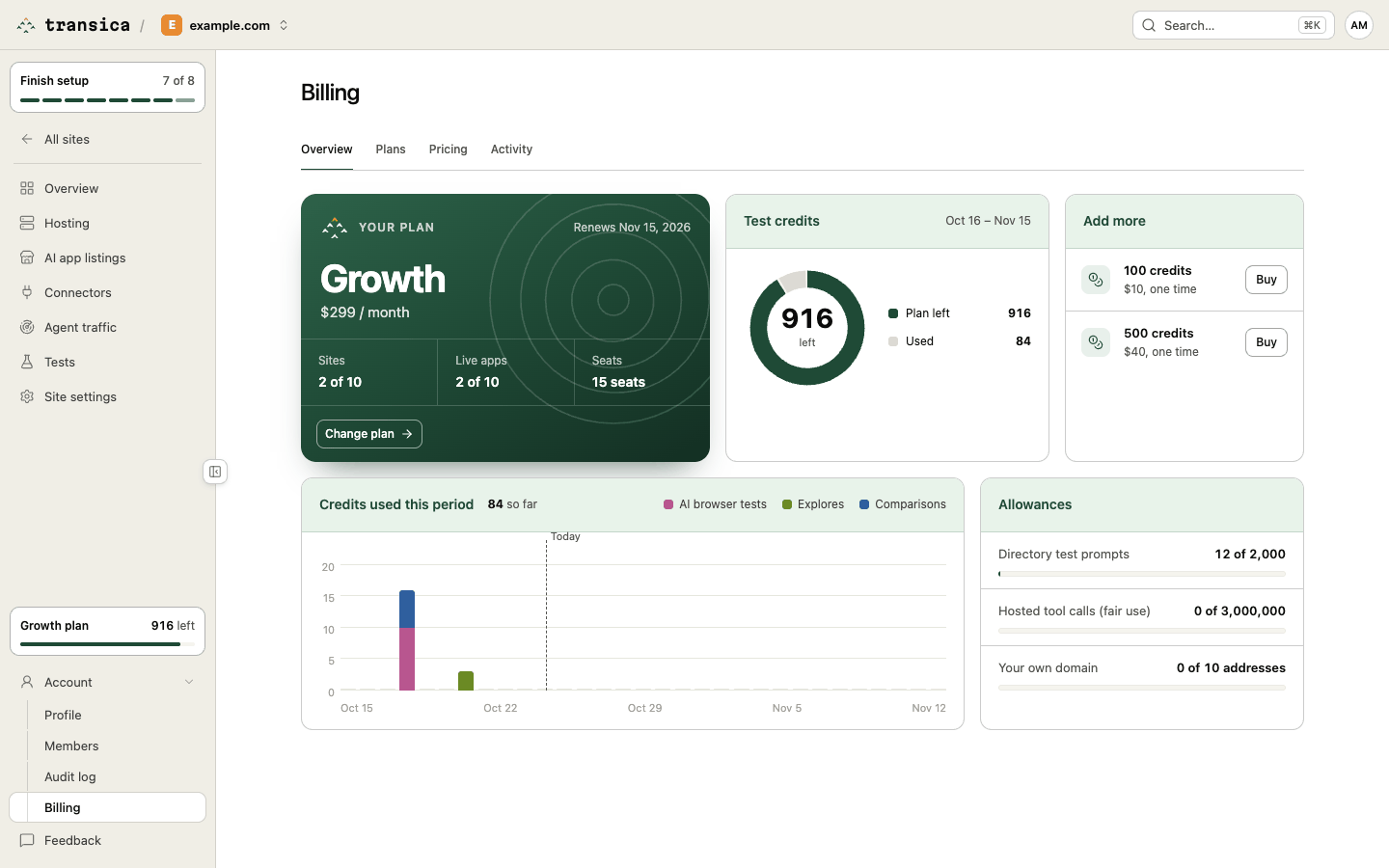
Tabs:
- Overview:
- Your plan: the plan, price, Monthly or Annual, and when it renews; Sites and Live apps used against your allowance, Seats, and Extras if you've bought any. Change plan, and for admins on a paid plan, Manage billing (payment details and invoices) and Downgrade to Free (or Keep current plan once a downgrade is set).
- Test credits: credits left this period, split into Plan left, Packs left, Reserved (held for running tests) and Used, and each pack's balance and expiry date.
- Add more: buy a 100 or 500 credit pack, set Extra sites with the − and + buttons and Save, or look at the next plan up.
- Credits used this period: a daily chart of AI browser tests, explores and comparisons.
- Allowances: directory test prompts, hosted tool calls (fair use) and own-domain addresses used against the plan.
- Plans: every plan side by side, Monthly or Annual (2 months free). Tick the terms box, then Upgrade to or Switch to a plan. Below, One-time purchases: credit packs (100, 500 or 2,000 credits, valid 12 months) and the done-for-you listing.
- Pricing: what each kind of work costs in test credits.
- Activity: every credit movement, with Amount and When: tests, explores and comparisons, refunds for unused runs, credits added. Open a row for its subject.
- History and Past purchases: past months (plan, credits used, tool calls) and one-time payments. They appear once there's something to show.
Checkout is handled by Dodo Payments, our merchant of record; every paid checkout asks you to accept the terms. See Plans and credits and Manage your plan and credits.