Add a source
Add a website, an API or an MCP server to an app that already exists.
You need: the source's address; for an API, its OpenAPI 3.0 or 3.1 JSON spec. Who: members and admins.
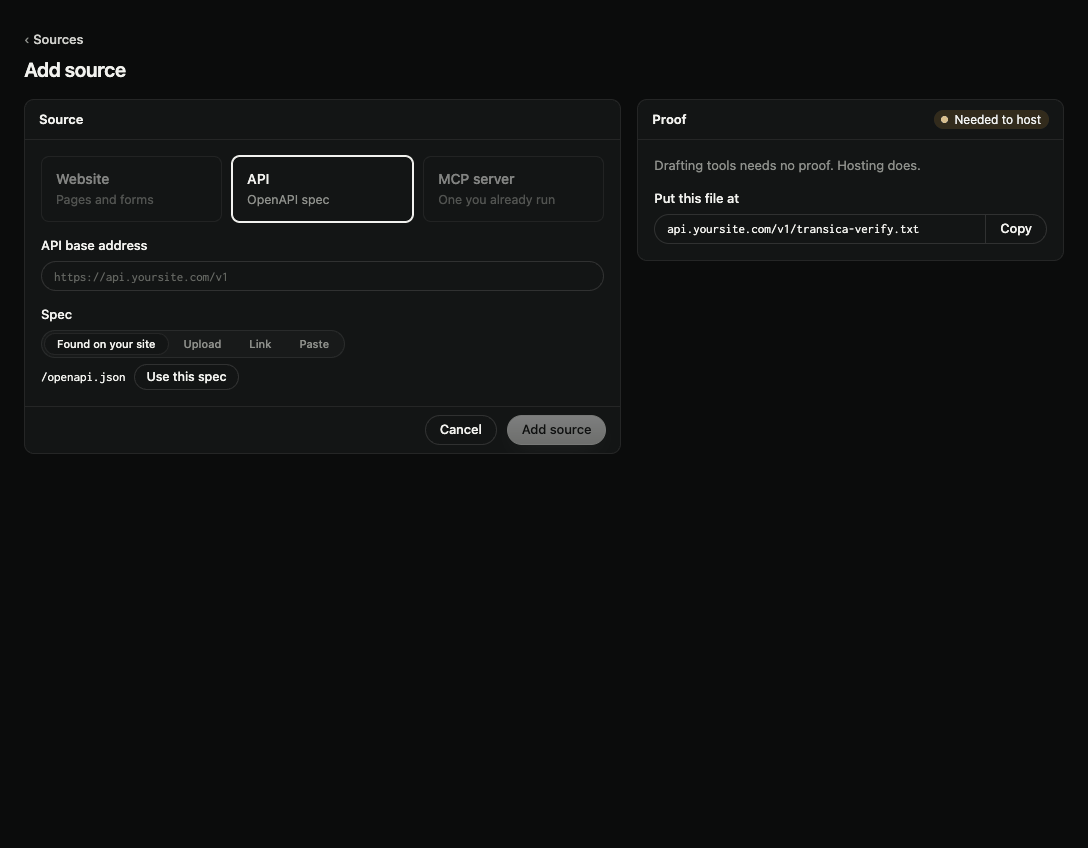
- Open the app, go to Sources and select Add source.
- Pick Website, API or MCP server. A kind the app already has (one website, one MCP server) is greyed out.
- Enter its address.
-
For an API, give the Spec:
- Found on your site: a spec published on your website. Select Use this spec.
- Upload: Upload JSON file, up to 1 MiB.
- Link: the spec's address, then Load spec.
- Paste: the JSON itself.
The form shows the spec's Endpoints and how it says people sign in (Sign-in). 5. Select Add source.
The Proof panel beside the form says when this source needs proof and where the file goes. If your domain is already proven by DNS, it shows Covered by your domain and nothing more is needed.
Next: Build a connector from your API spec, Connect your own MCP server or Merge connectors.