App overview
An app's home page: how a request reaches it, the key numbers, its hosted connectors, listings and setup, and its tool calls.
Where: select an app, then Overview in the sidebar (/dashboard/sites/<source>).
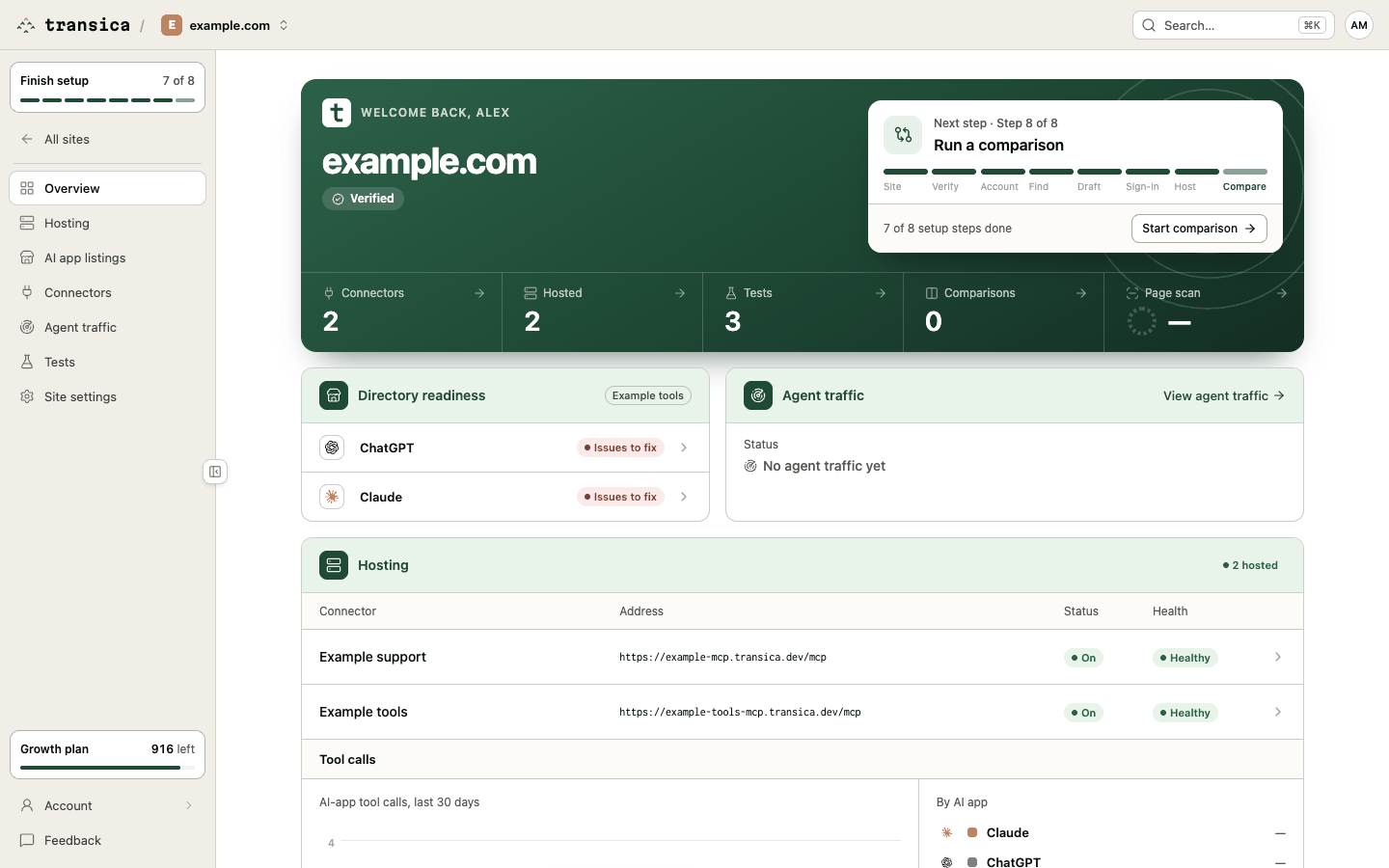
What's on it
Header. The app's address and its ownership status (Verified, or Not verified with a link to Site settings → Ownership), with New connector and Get listed.
How a request reaches your app. The request path as a diagram, with a live status on each part:
AI app → Your sign-in → Transica hosting → Your API
AI app lists the apps that can connect (Claude, ChatGPT, Codex, Cursor); Your sign-in says whether a provider is connected; Transica hosting shows Live and the version served; Your API shows endpoints up. Links are green while each part works; from a break on, they turn red. With more than one hosted connector, the header counts them ("2 hosted").
Numbers. Connectors, Hosted, Tests, Comparisons and the latest Page scan score. Each opens its page.
Three short cards follow:
- Hosting: each hosted connector with its address and health (Healthy, Warning, Failing). Open hosting opens Hosting.
- Directory readiness: one row each for ChatGPT, Claude and Gemini. Before you submit, the row shows readiness (Ready, Needs input, Issues to fix or Not checked); after, the submission's status (Submitted, In review, Changes requested, Approved, Published, Rejected or Withdrawn). Get listed opens the Get listed flow.
- Setup: the eight guided setup steps, each marked done or next, with Continue, and the Next step with its button (for example Start comparison).
Tool calls. AI-app tool calls per day over the last 30 days, By AI app, and when the last health check ran.
Agent traffic. Once you've connected a traffic source: AI assistant visits per day before and after hosting, and connector calls per day. View agent traffic opens Agent traffic.