Apps
Every app in your organization: its sources, AI app listings, calls in the last 30 days and hosting state.
Where: sidebar → Apps, or /dashboard/apps.
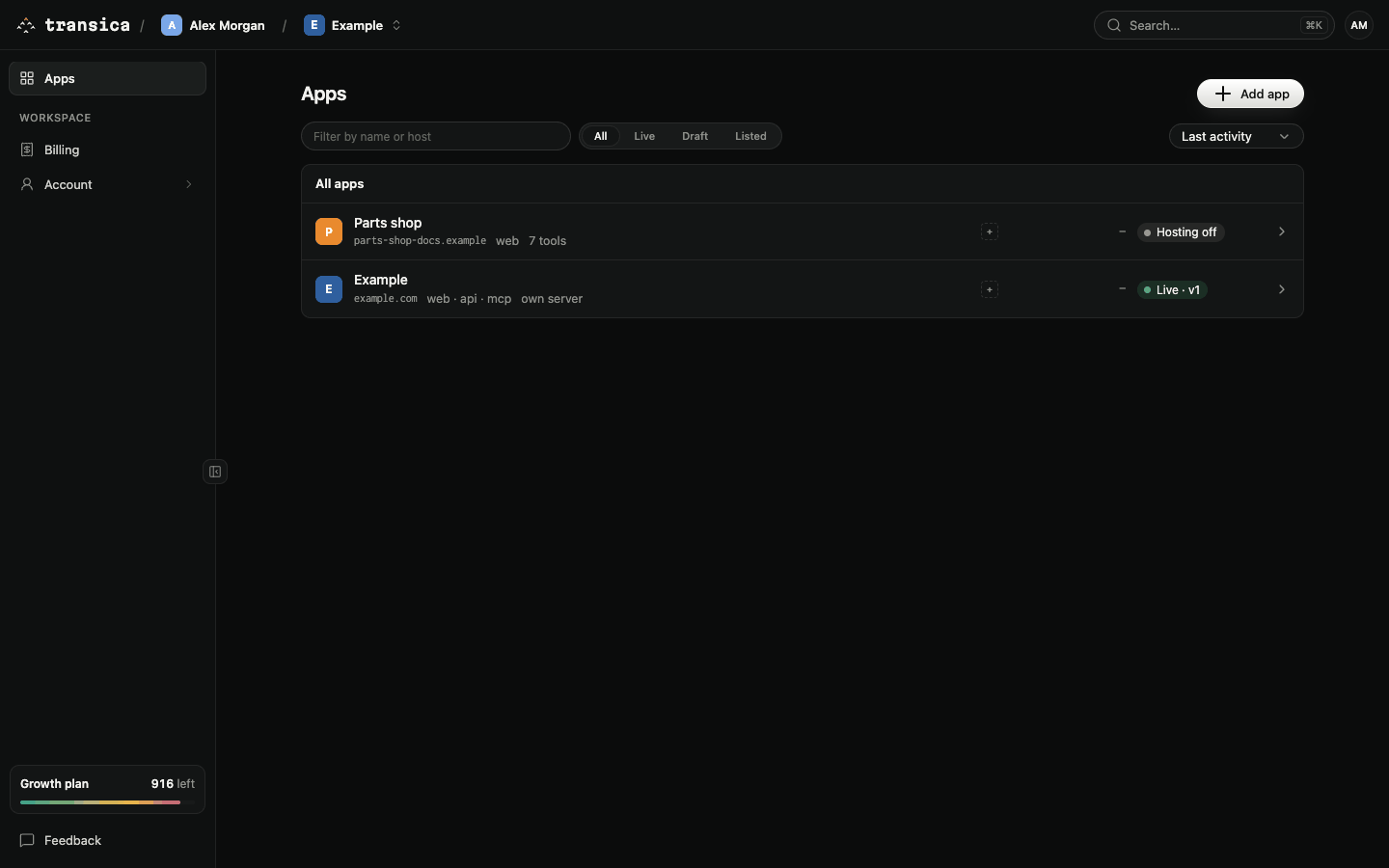
An app is what you bring to Transica: a product with a website, an API, an MCP server you already run, or any mix of them. Each of those is a source. Tests, connectors, hosting and listings all belong to an app.
The list
Each row shows:
| Part | Meaning |
|---|---|
| Name | The app's name, with its main source's address, the kinds of source it has (web · api · mcp) and its tool count, or own server when it brings its own MCP server. Select a row to open the app's overview. |
| AI app logos | The AI apps it's listed in. A + means not listed yet. |
| Calls | Tool calls from AI apps in the last 30 days, with a line of daily calls. |
| State | Live · v3 (hosting on, serving version 3), 2 checks failing, Hosting off, Draft · 12 tools or No connector. |
Above the list:
- Filter by name or host narrows the rows as you type.
- All, Live, Draft, Listed filter by state.
- The sort menu orders by Last activity, Name or Newest.
Add an app
Add app (top right, members and admins) opens the Add app form: a Name and a First source: Website, API or MCP server, with its address. See Add an app.
Your plan sets how many apps you can have: Free and Maker 1, Business 3, Growth 10, plus any extra you buy. See Plans and credits.