Merge connectors
Combine connectors drafted from your website and your APIs into one connector, so AI apps see one listing with every tool.
You need: connectors on two or more of the app's sources. Who: members and admins.
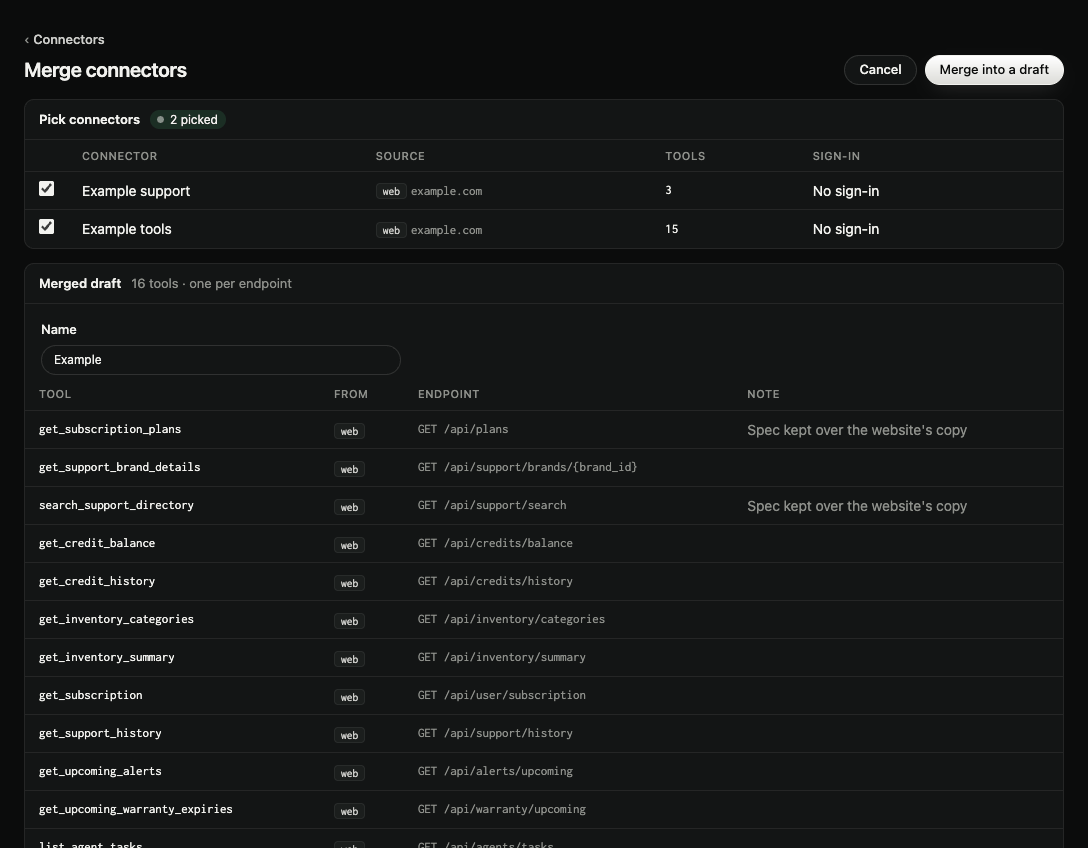
- Go to Connectors and select Merge connectors (it shows when there's something to merge).
- Under Pick connectors, tick the ones to merge. Each source's newest connector is ticked for you. A row that can't go with the rest says why in Note:
- Own MCP servers can't merge: an app's own MCP server is its connector as it is.
- Different sign-in: one connector has one sign-in, so connectors whose sign-in differs stay separate.
- Check the Merged draft (one tool per endpoint): its Name, then each Tool with the source it comes From and its Endpoint. A Note marks a tool Renamed: name taken (two sources had the same tool name) or Spec kept over the website's copy (an endpoint found on both).
- Select Merge into a draft.
The merged draft opens on its connector page. The original connectors stay as they were. Review and publish it as usual, see Design, review and publish tools.
Hosting a merged connector needs proof of every address its tools call. See Host your connector.